elmah.io changelog

New

New IP details popup

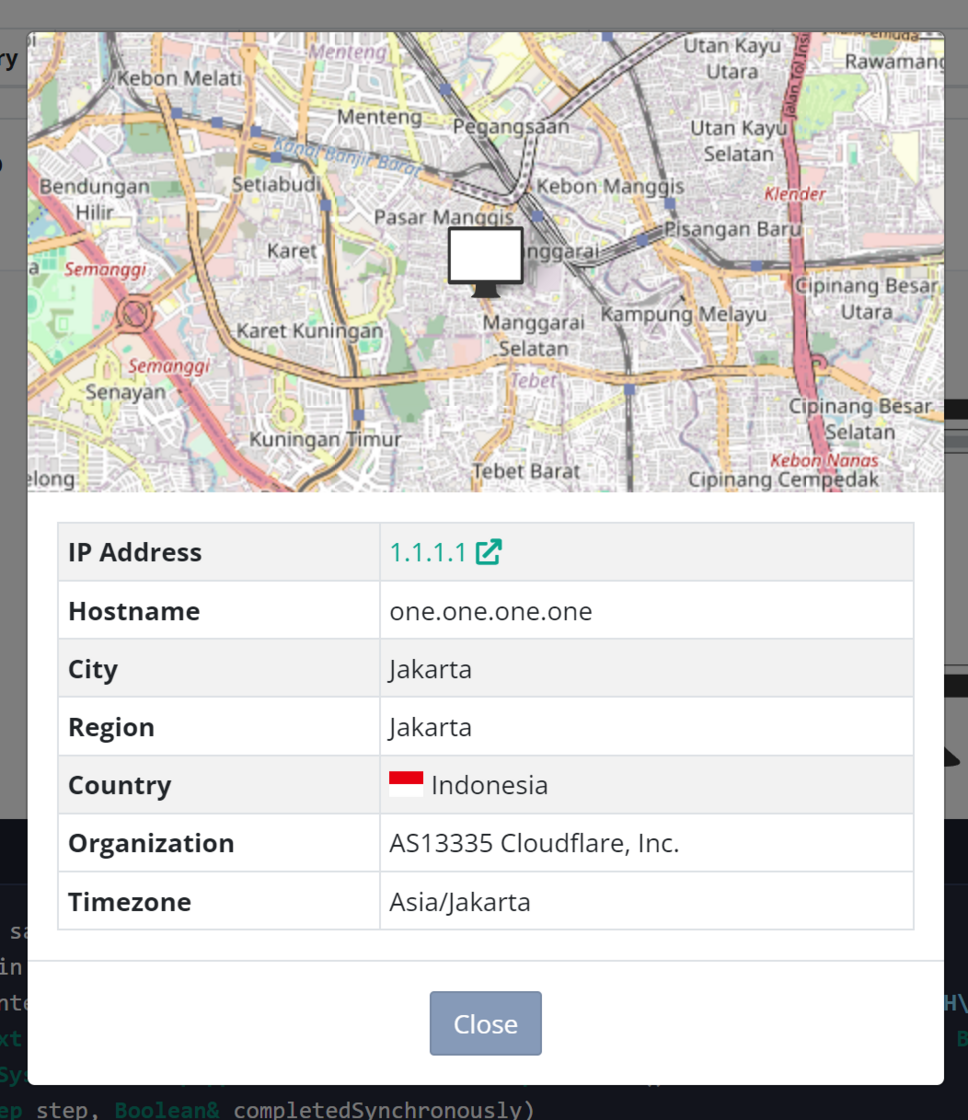
There’s a brand new IP details popup available on app.elmah.io. The popup is shown when clicking an IP in the log message details area. The view will show a map, if available, as well as some extended details extracted from the IP. If you prefer to look at the IP on db-ip, there’s still an external link to launch that.

New IP details popup

Improvement

Improved API key validation on ChatGPT integration

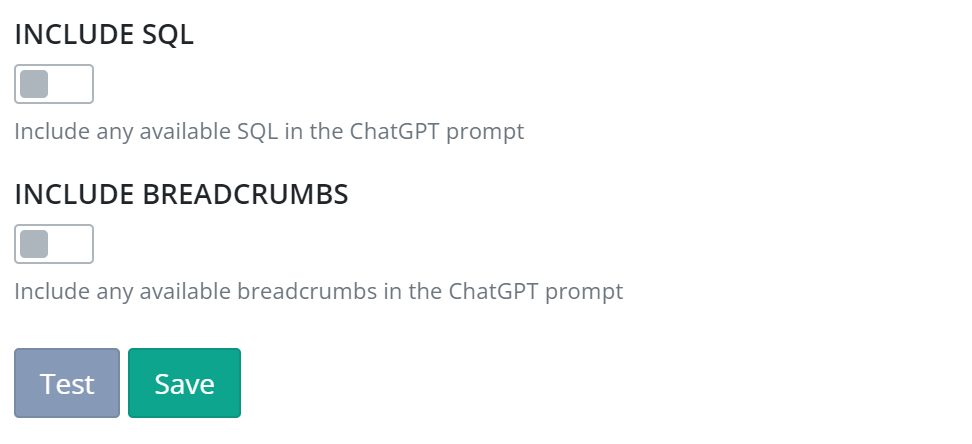
The ChatGPT app has been improved in several ways. We have added a Test button on the app to allow for testing the inputted OpenAI API key:

Test button on ChatGPT app

Furthermore, we have improved potential errors being returned from the OpenAI API when clicking the Get suggestion button in the search UI. Rather than failing silent, the UI will now indicate if the API key is wrong, the usage limit has been reached, and more errors.

These changes make it easier than ever to integrate AI-suggested error resolution directly on your errors in elmah.io.

Blogged: What's new in .NET 9: Cryptography improvements

https://blog.elmah.io/whats-new-in-net-9-cryptography-improvements/

What's new in .NET 9: Cryptography improvements

Improvement

Improved Browser Extensions filter

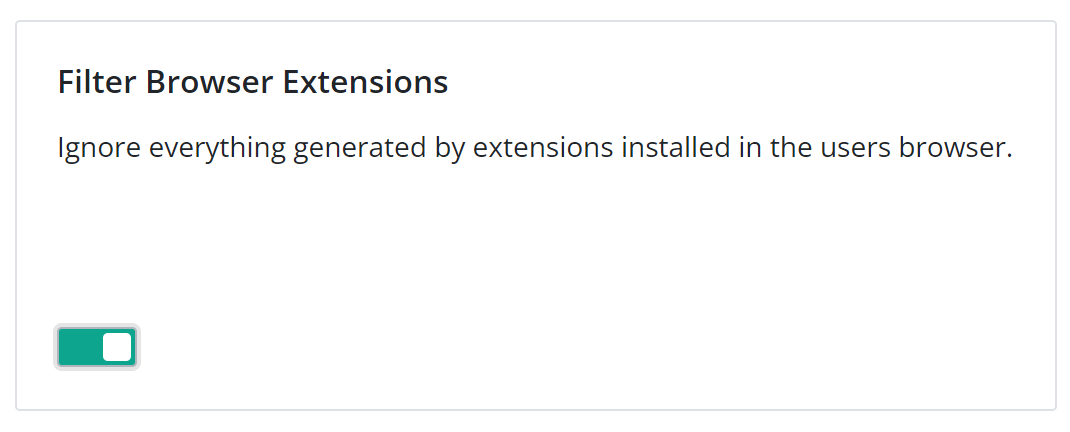
The Browser Extensions filter has been updated with improvements and support for more types of extensions (primarily around Safari and Edge extensions). If you are unfamiliar with the Browser Extensions filter, it is intended to ignore JavaScript errors generated by extensions. It can be enabled/disabled on the Filters tab on the Log Settings page:

Improved Browser Extensions filter

If you already have the filter enabled, you must disable and enable the filter to get the recent changes.

Blogged: Revisiting improved HTTP logging in ASP.NET Core 8

https://blog.elmah.io/revisiting-improved-http-logging-in-asp-net-core-8/

Revisiting improved HTTP logging in ASP.NET Core 8

New

Delete log endpoint on API

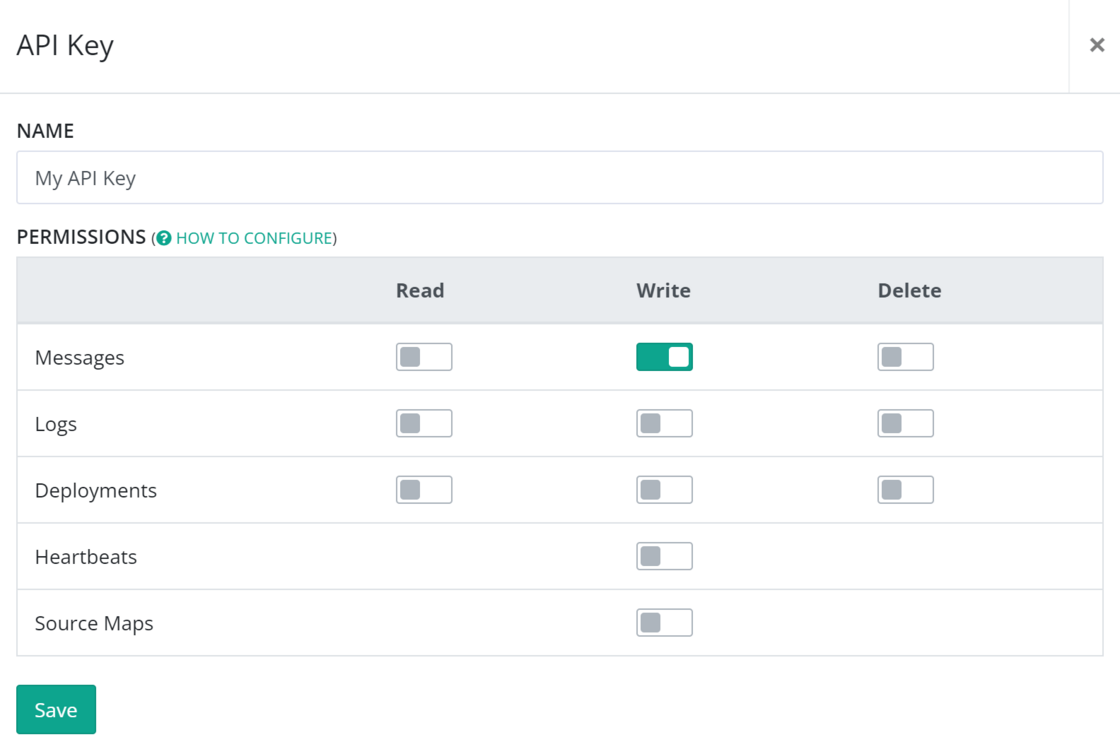
There’s a new endpoint available on the API to delete a log. Deleting a log requires the new Delete log permission available on the edit API key view on elmah.io. Only empty logs can be deleted through the API so make sure to clear it first through either the UI or the delete messages endpoint.

The delete log endpoint is also available in the newest prerelease of the Elmah.Io.Client package.

Delete log endpoint on API

Blogged: Boosting Code Readability and Manageability in ASP.NET Core

https://blog.elmah.io/boosting-code-readability-and-manageability-in-asp-net-core/

Boosting Code Readability and Manageability in ASP.NET Core

New

Elmah.Io.Cli 5.1.88

We released a new version (5.1.88) of the elmah.io CLI. Besides a lot of code fixes and cleanup, the new version includes the following feature:

New

Microsoft Teams v2 app

There’s a new app for integrating elmah.io with Microsoft Teams v2 in the App Store. The existing Teams app is intended for Teams v1 and works by installing the elmah.io app from the Teams Marketplace. Since the extension model in Teams v2 seems severely broken, we have decided to roll back our integration with v2 to webhooks for now. Check out the updated documentation here: Install Microsoft Teams App for elmah.io.

New

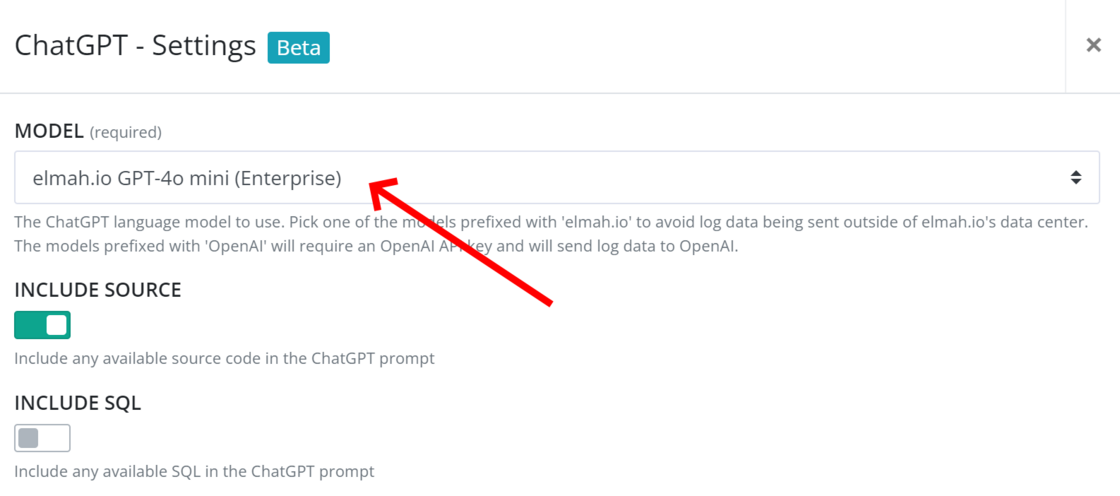
Support for GPT-4o mini

AI-assisted error resolution (the ChatGPT app on elmah.io) now supports GPT-4o mini. You can either bring your own OpenAI API key or use a built-in model (Enterprise only):

Support for GPT-4o mini

Blogged: 3 Essential Techniques for Managing Transactions in EF Core

https://blog.elmah.io/3-essential-techniques-for-managing-transactions-in-ef-core/

3 Essential Techniques for Managing Transactions in EF Core

New

Logger and Exception Visualizer extensions for Visual Studio

As you may know, we have built various free tools, from online services to extensions for popular development tools. A new extension for Visual Studio just landed and since the previous one was never announced, let’s go through both tools in this changelog. Both extensions are Debugger Visualizers for Visual Studio. A Debugger Visualizer will help you inspect objects when debugging .NET applications inside of VS.

Logger Visualizer

If you are using Microsoft.Extensions.Logging, the Logger Visualizer is a great way to inspect the current logging configuration in a more pleasing way than looking through JSON.
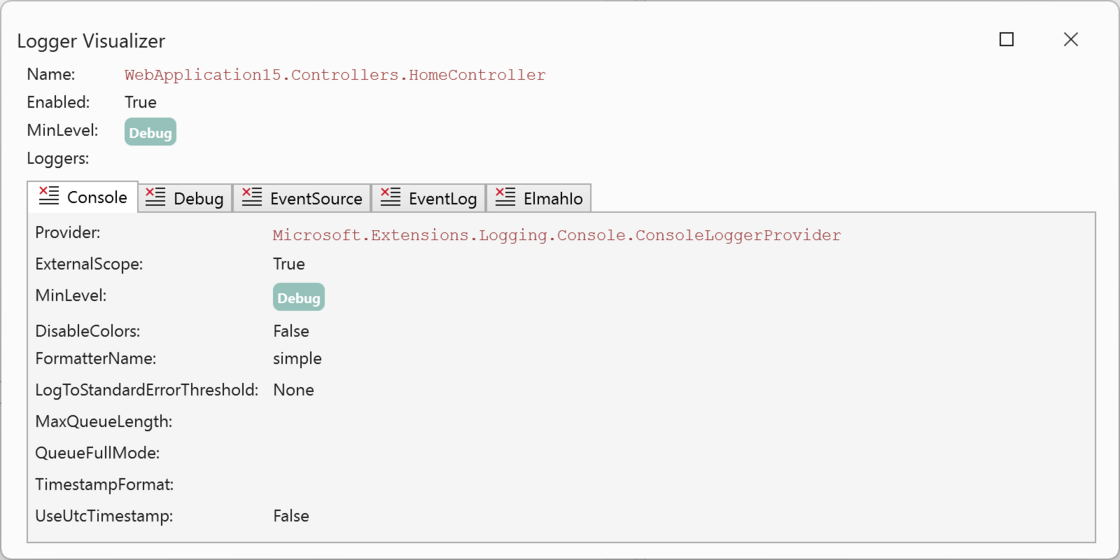
Logger Visualizer

As an elmah.io user, there’s an extra benefit in using the extension. When the Elmah.Io.Extensions.Logging logger is configured, a special tab will show up:
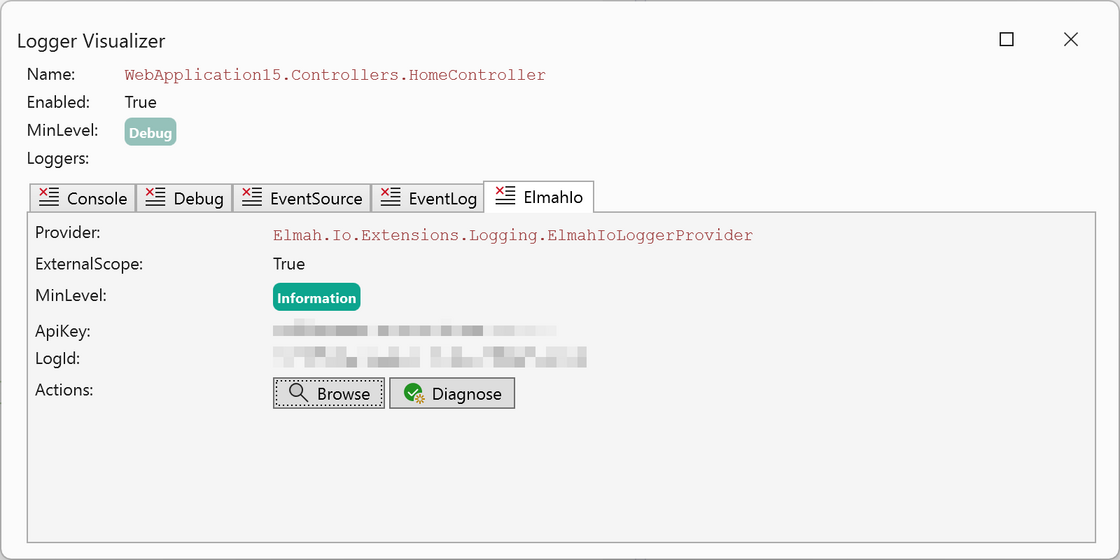
elmah.io tab

Logger Visualizer is available through the Visual Studio Marketplace: https://marketplace.visualstudio.com/items?itemName=elmahio.loggervisualizer

Exception Visualizer

Getting a good overview of an exception through Visual Studio’s built-in visualizer can be tricky. Especially when dealing with inner and aggregate exceptions. With Exception Visualizer, viewing an exception while debugging will give you a much better overview:
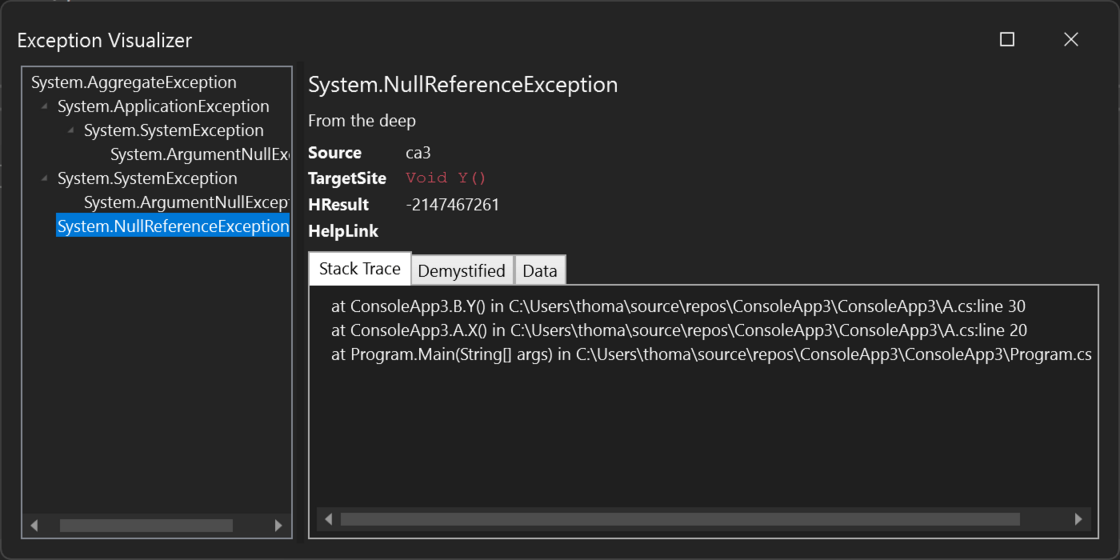
Exception Visualizer

Exception Visualizer is available through the Visual Studio Marketplace: https://marketplace.visualstudio.com/items?itemName=elmahio.exceptioninspector
Blogged: Caching Strategies in ASP.NET Core

https://blog.elmah.io/caching-strategies-in-asp-net-core/

Caching Strategies in ASP.NET Core

September newsletter

We published a new issue of the elmah.io Newsletter: https://mailchi.mp/elmah/how-to-implement-customized-role-permissions-in-asp-net-core-and-more-elmah-io-news-16206552

Newsletter

If you want to receive an email every 2-3 months with all of the recent goodies on elmah.io, make sure to subscribe here: http://eepurl.com/dE1hCn

Blogged: Understanding .NET stack traces - A guide for developers

https://blog.elmah.io/understanding-net-stack-traces-a-guide-for-developers/

Understanding .NET stack traces - A guide for developers

Improvement

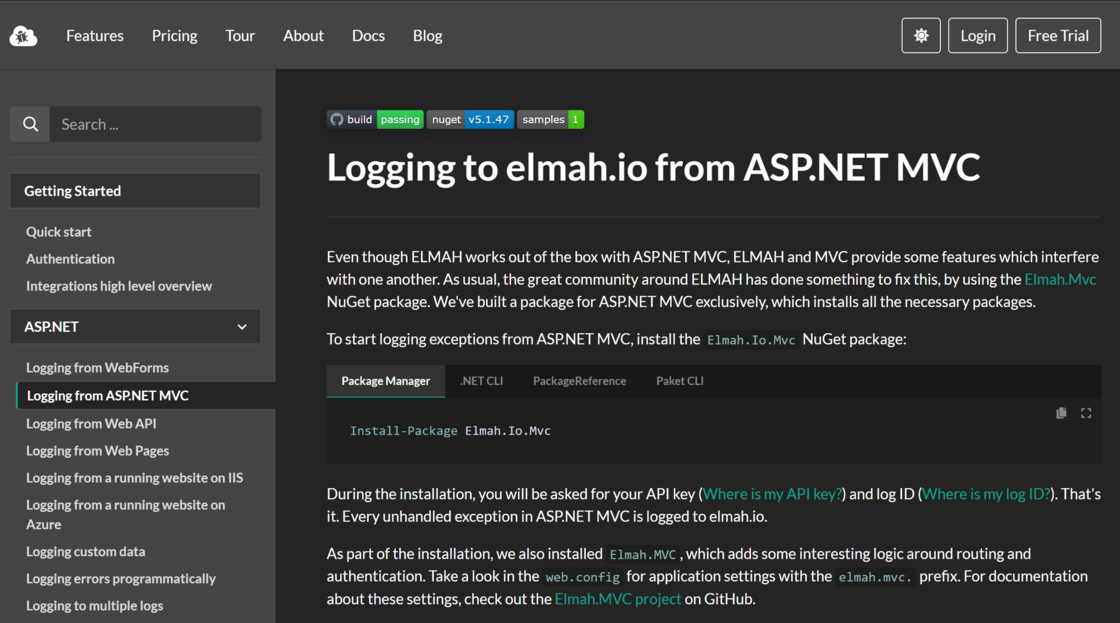
Dark theme on docs 🌑

The documentation site now also offers a dark theme. As on the blog, the dark theme can be enabled by clicking the theme selector button in the top right corner.

Dark theme on docs

New

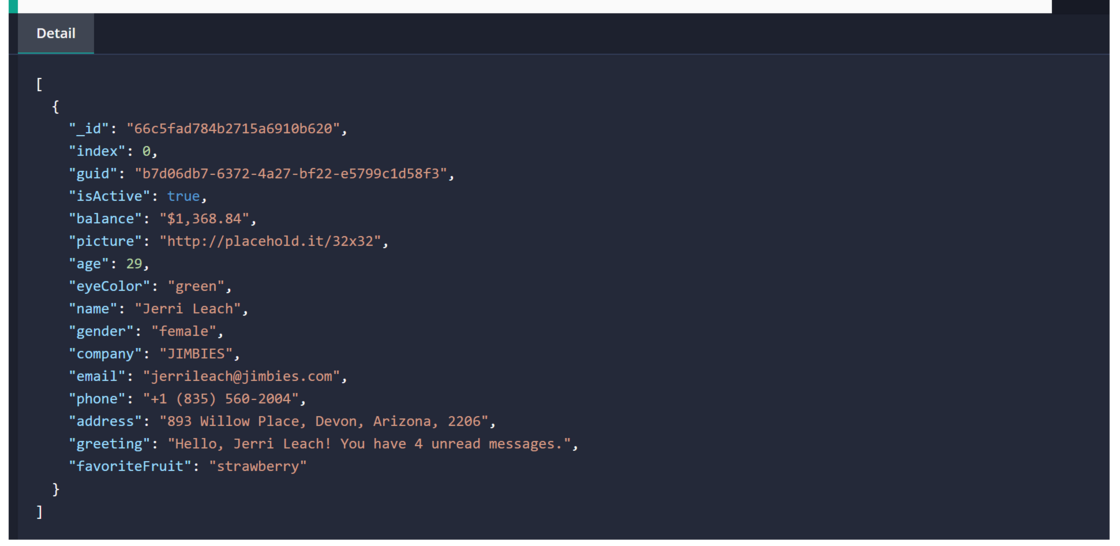
Syntax highlight JSON in the Detail field

If we detect JSON in the Detail field on the elmah.io UI we now syntax highlight it:

Syntax highlight JSON in the Details field

Blogged: How to implement customized role permissions in ASP.NET Core

https://blog.elmah.io/how-to-implement-customized-role-permissions-in-asp-net-core/

How to implement customized role permissions in ASP.NET Core

New

Support for OpenTelemetry

There’s a new (experimental) integration with OpenTelemetry that allows for logging messages from OpenTelemetry to elmah.io. The integration can be installed from NuGet using the Elmah.Io.OpenTelemetry package and a custom exporter:

builder.Logging.AddOpenTelemetry(options =>
{
    options.AddElmahIoExporter(options =>
    {
        options.ApiKey = "API_KEY";
        options.LogId = new Guid("LOG_ID");
    });
});

Check out the documentation for details.

Improvement

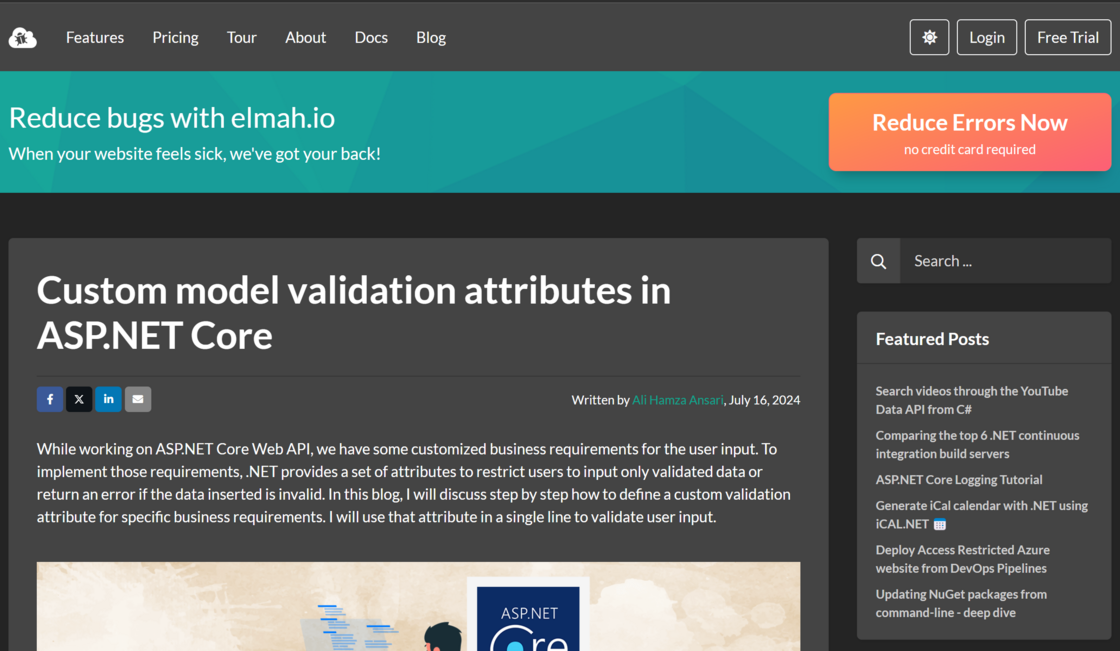
Dark theme on blog 🌑

Yay! Our blog now offers a dark theme. We’ve received numerous requests for this feature, and our blog is the first to get it. Over the next period, we will be working to bring the dark theme to other elmah.io websites as well.

Dark theme on blog