Elmah.Io.Log4Net 3.3.39
We released a new version (3.3.39) of the Elmah.Io.Log4Net package. This version bundle the recent stable version of the Elmah.Io.Client package.
We released a new version (3.3.39) of the Elmah.Io.Log4Net package. This version bundle the recent stable version of the Elmah.Io.Client package.
We released a new version (3.5.63) of the Elmah.Io, Elmah.Io.AspNet, Elmah.Io.Mvc, and Elmah.Io.WebApi NuGet packages. Changes are primarily internally around the user agent communicated to the elmah.io API. The packages also bundle the newest stable version of the Elmah.Io.Client package.
We are working on offering a combined Daily Digest email, rather than an email per log. The feature is currently available in closed beta until we get to open up the UI to configure it. Let us know through the chat widget if you want to try it out.
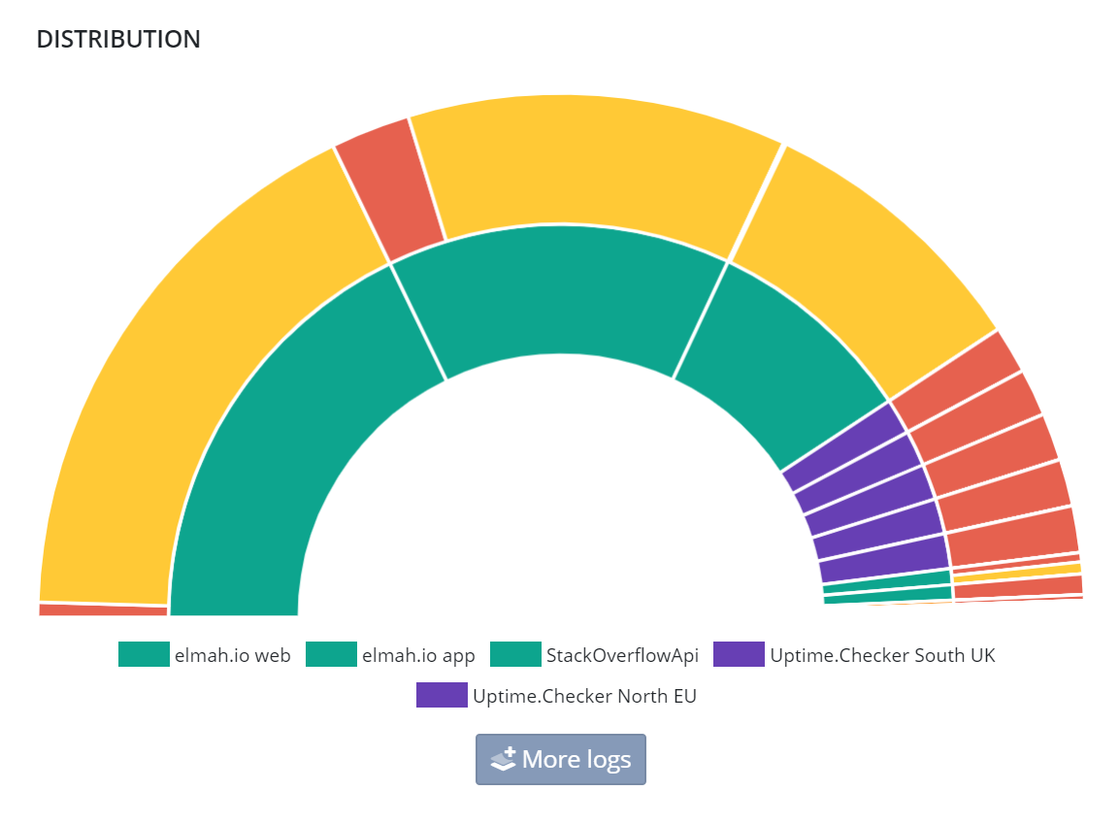
To help identify which applications are responsible for logging warnings and errors, we have added a legend on the distribution graph on the organization overview. With this change, you no longer need to hover parts on the graph and the log names are shown, also on a big status screen:
We just published a new issue of the elmah.io Newsletter: https://us7.campaign-archive.com/?u=66fdd2122e968863d381a26e1&id=751c3f50e4

If you want to receive an email every 2-3 months with all of the recent goodies on elmah.io, make sure to subscribe here: http://eepurl.com/dE1hCn
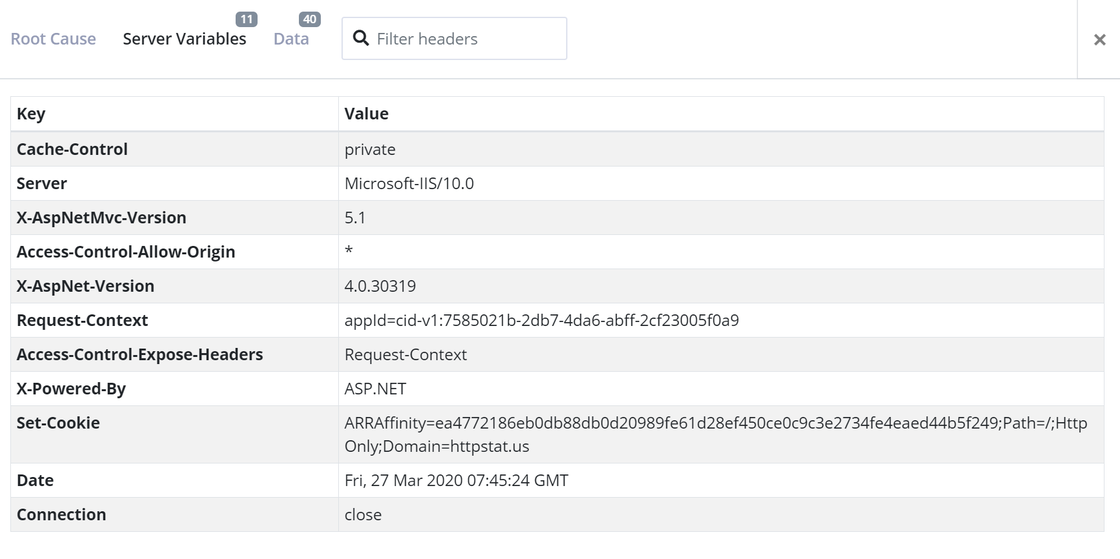
When logging a failed uptime check, we try to log as much information about the failing request as possible. The more information available, the easier it is to spot why a request is failing. With a recent addition to elmah.io Uptime Monitoring, we now also log the response headers returned by a failing endpoint:
There’s a new API endpoint for pulling the status of all uptime checks within your organization. The endpoint is currently in closed beta. If you want to build something fun with the current status of your uptime checks, feel free to request access 🙌
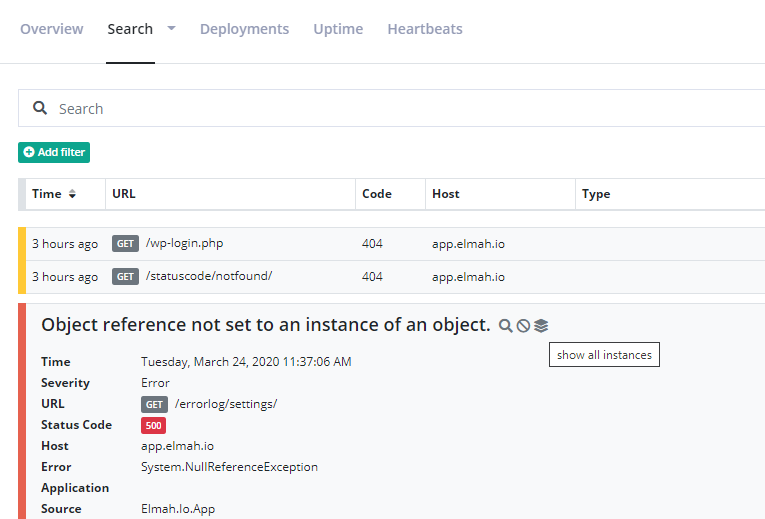
Search filters, as you know them from message details, are now available on the log message as well. Show or hide messages with the hovered log message. Hovering the log message also has an additional option to show all instances of the log message. This searches for all messages with the same hash:
Instructions for how to integrate GitHub Actions with elmah.io Deployment Tracking: Create deployments from GitHub Actions.
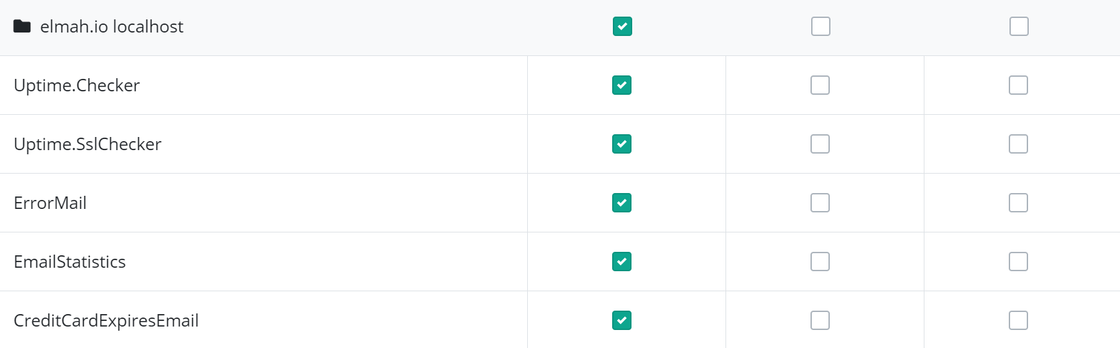
There’s a new select/deselect all checkbox on the Emails tab on your profile. Quickly subscribe to one or more emails on all logs or unsubscribe from all with the click of a button:
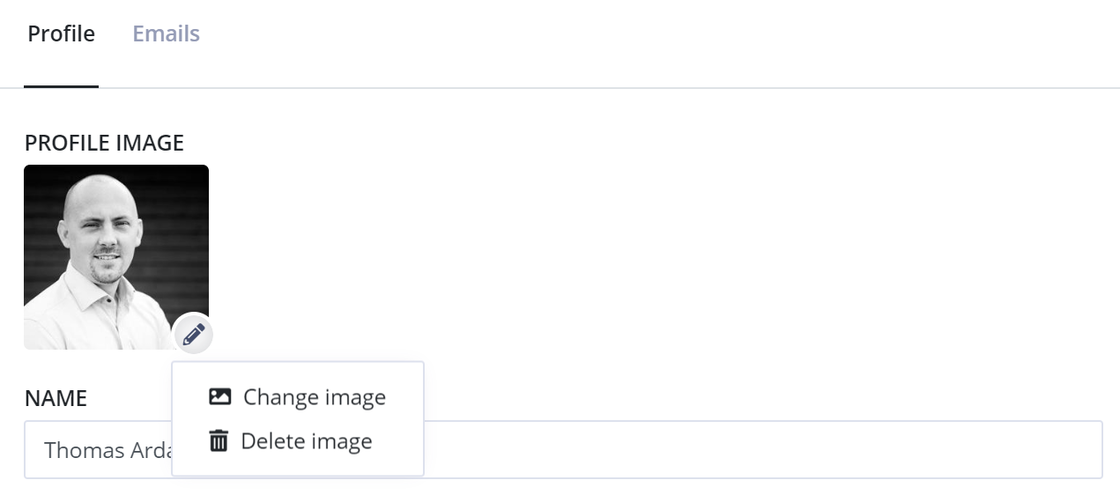
If you regret uploading a profile image on elmah.io, you can now delete it from the Profile page:
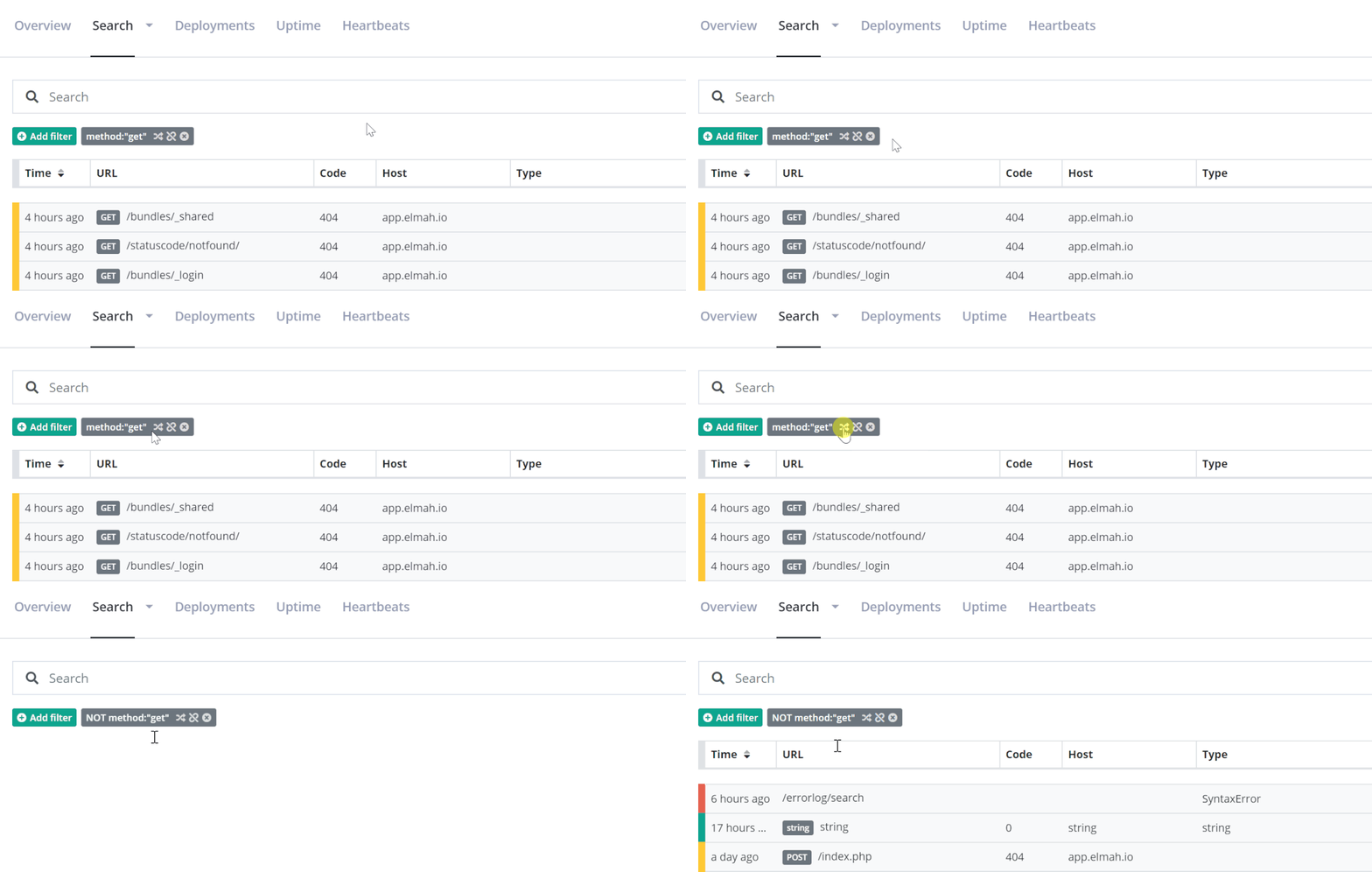
There’s a new reverse filter button on search filters. So, if you have added a filter like method:get and you click the button, the filter would switch to show messages with a method other than get:
There’s a new filter in town: IP Filter. Using the new filter you can ignore any log message coming from one or more IP addresses. The filter can be specified using either a single IP, an IP range or a CIDR:
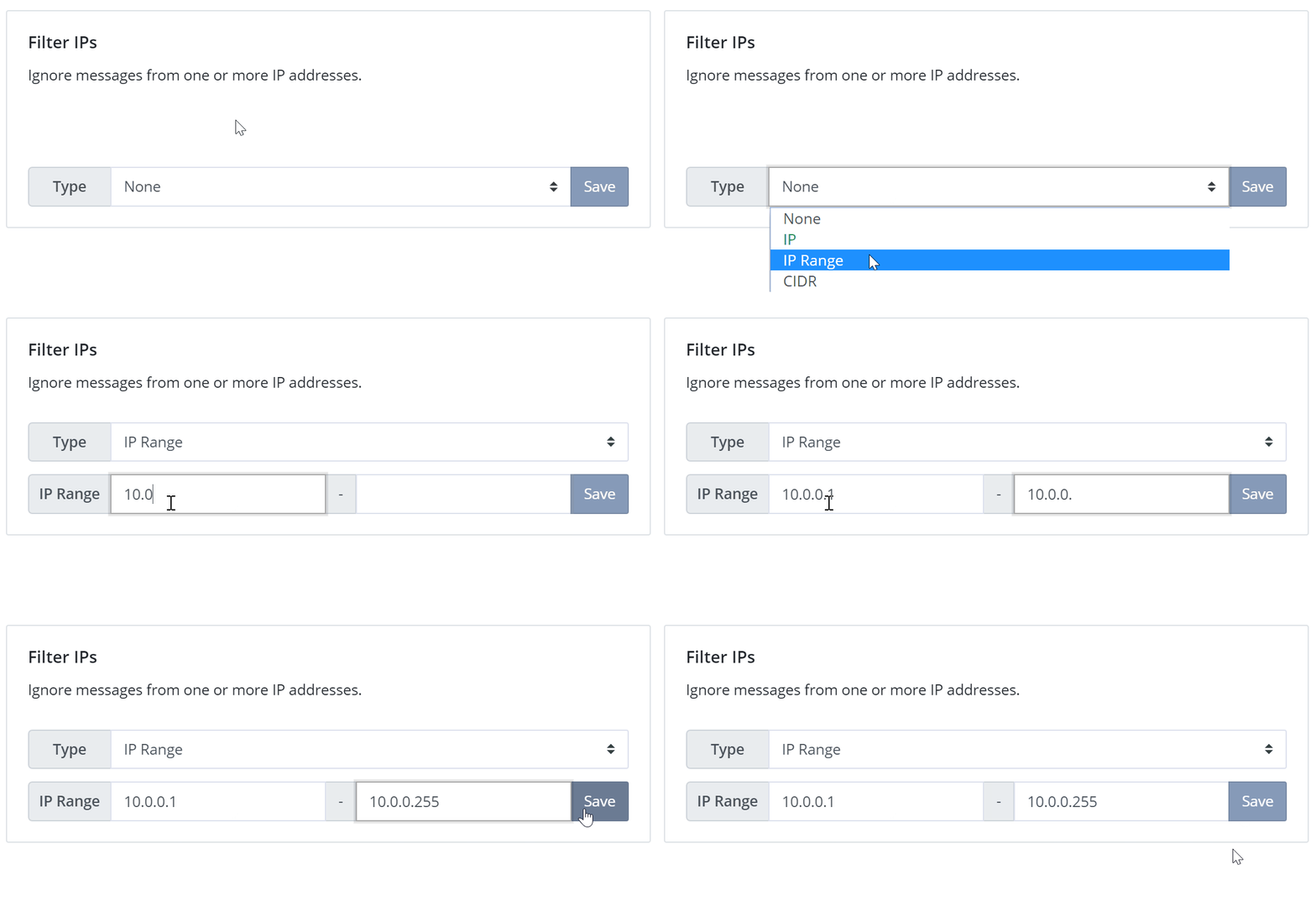
The new IP filter is much more advanced than the IP Filter app available on the Apps tab, why we have deprecated the IP Filter app. Please switch to using the new IP Filter on the Filters tab.
We fixed an issue where users needed to sign back in every time we deployed. If you haven’t been logged in since yesterday, you will need to sign in on your next visit. Users are still logged out after 1 hour of inactivity unless the Stay signed in toggle is enabled on the profile. Sorry for the inconvenience.
We decided to deploy the new elmah.io app running on ASP.NET Core today (Sunday) to be able to quickly roll back before Monday morning if anything doesn’t work as expected. As mentioned earlier, you will be asked to log in again on your next visit to app.elmah.io.