elmah.io changelog

Improvement

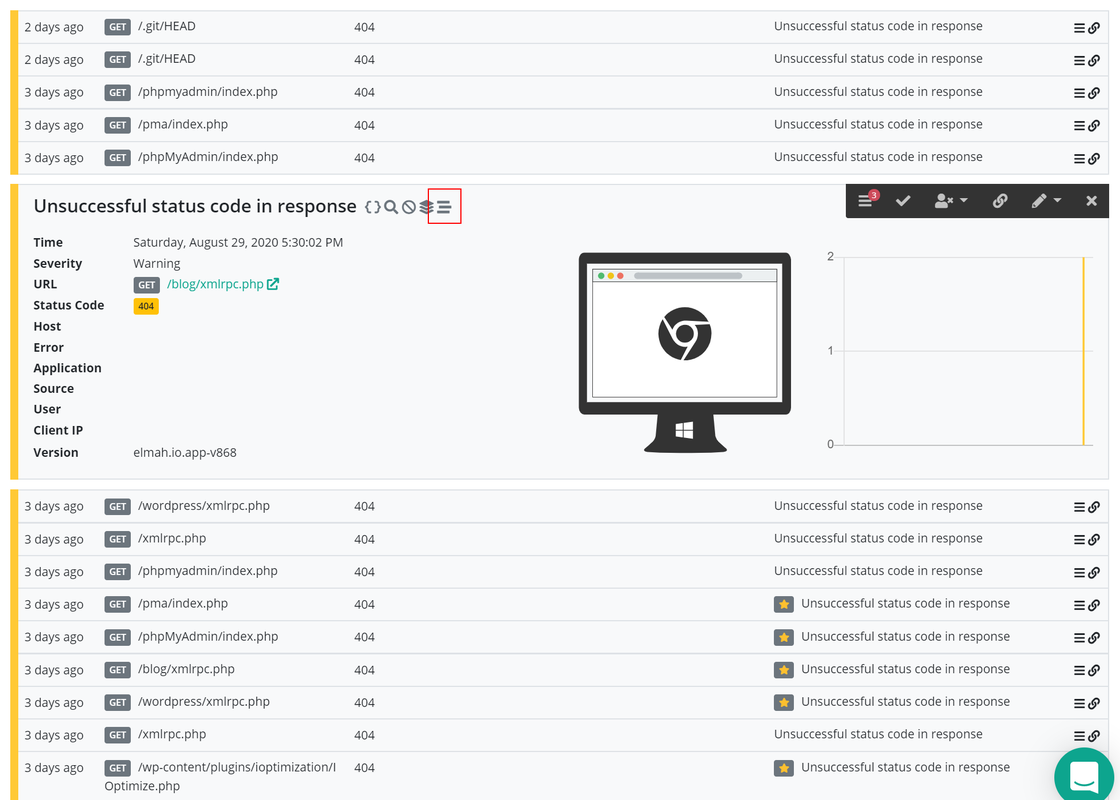
SSL Checker and Domain Name Checker improvements

We pushed new versions of the SSL Checker and Domain Name Checker, part of elmah.io Uptime Monitoring. Both checkers have been improved in the way they mark logged errors as new. When logging issues about an SSL certificate or domain name that has already been logged, additional errors are no longer logged as new. As soon as the SSL certificate gets a new thumbprint or the domain name a new expires date, issues will be marked as new.

In addition, more checks have been added to the SSL Checker. Misconfigured hostnames and chain issues (like an untrusted root or problems with self-signed certificates) will now also cause errors to be logged.

Improvement

Unsubscribe confirmation and unsubscribe from combined daily digest

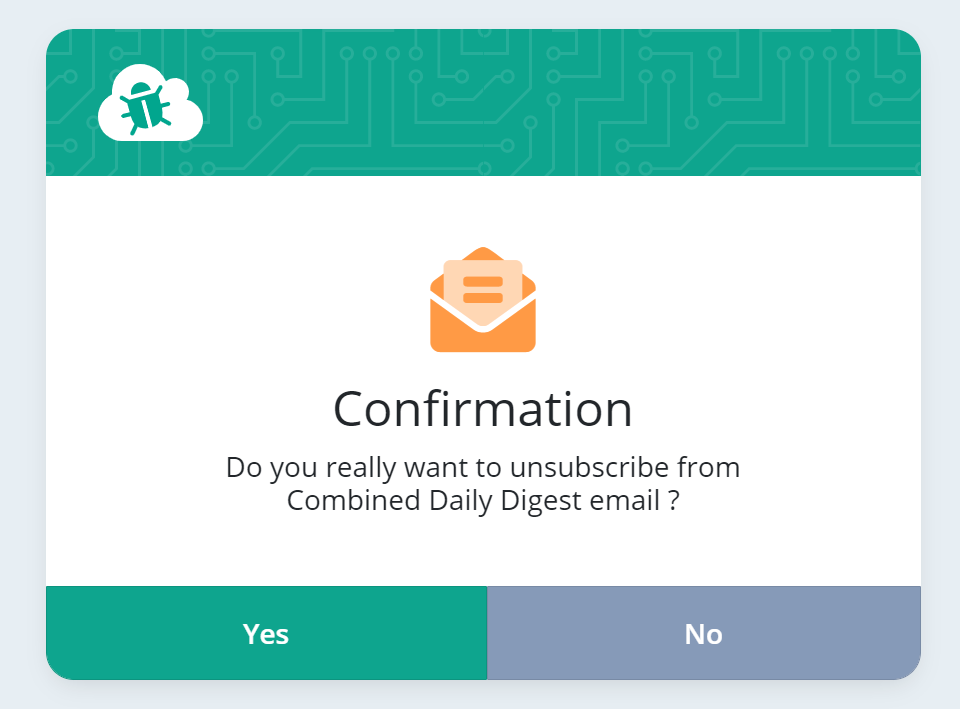
We pushed some improvements to the unsubscribe links available in the footer of all transactional emails we send out. All unsubscribe links now show a confirmation step. This will make sure that you don’t unsubscribe by mistake and avoid unsubscribing unintentionally if the browser makes a prefetch-get request to the unsubscribe page.

You can now also unsubscribe from the combined daily digest email:

Unsubscribe confirmation

October newsletter

We published a new issue of the elmah.io Newsletter: https://us7.campaign-archive.com/?u=66fdd2122e968863d381a26e1&id=fd9d3d38b4

Newsletter

If you want to receive an email every 2-3 months with all of the recent goodies on elmah.io, make sure to subscribe here: http://eepurl.com/dE1hCn

Blogged: Audit .NET/.NET Core Apps with Audit.NET and AWS QLDB

https://blog.elmah.io/audit-net-core-apps-with-audit-net-and-aws-qldb/

Audit .NET/.NET Core Apps with Audit.NET and AWS QLDB

New

New email templates for uptime monitoring

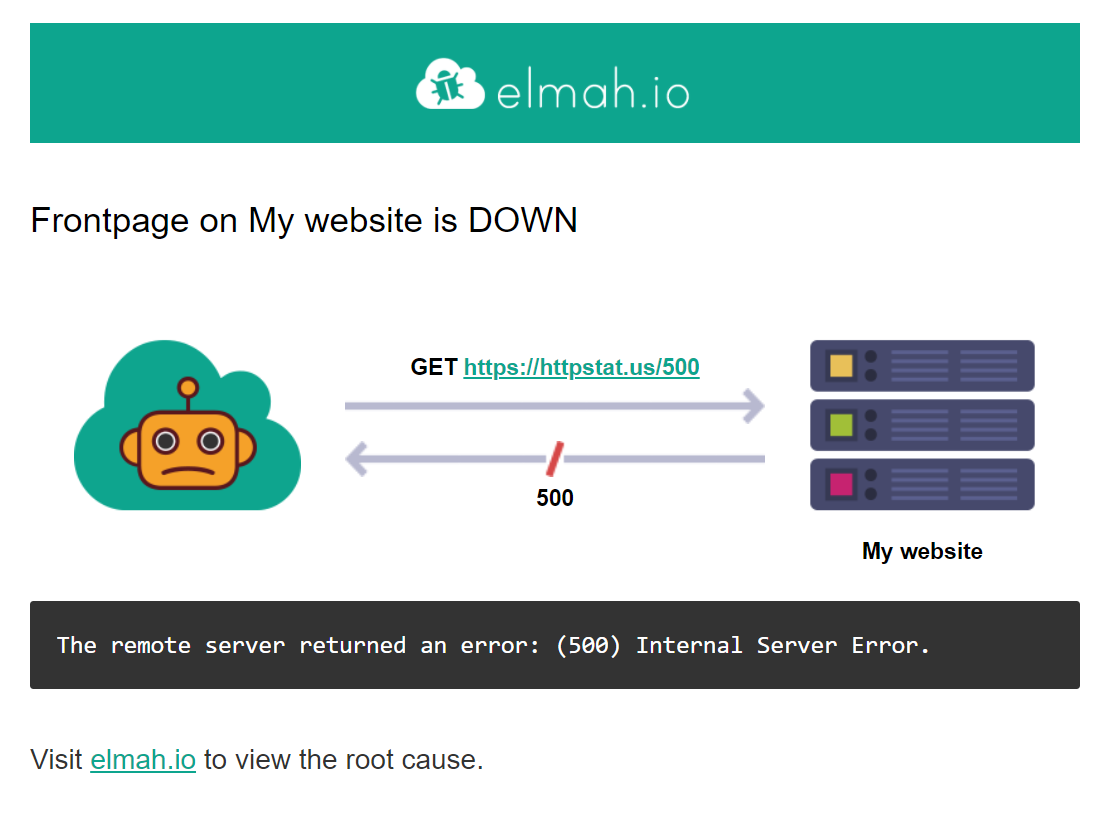
Logging when an endpoint is down and back up uses your existing error logs and email configuration. This means that logging errors from your applications and up/down messages from Uptime Monitoring always shared an email template. With a recent addition, Uptime Monitoring now has its own set of email templates that (hopefully) visualize the current situation better and leave out all of the information not applicable to uptime errors:

Website down

New

Incidents on organization overview

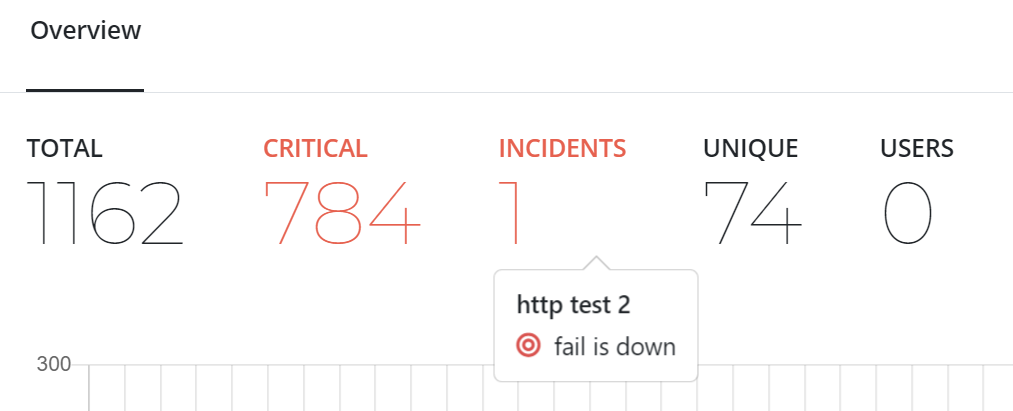
The organization overview page now shows a list of incidents like the log overview. An incident can be either a failing uptime check or a missing/failed heartbeat. The list is for any uptime check or heartbeat within the organization and from the list of selected logs.

Incidents

Blogged: Moq vs NSubstitute vs FakeItEasy - Which one to choose?

https://blog.elmah.io/moq-vs-nsubstitute-vs-fakeiteasy-which-one-to-choose/

Moq vs NSubstitute vs FakeItEasy - Which one to choose?

PostSharp Logging discount in the goodie bag

We have partnered with the nice people from PostSharp, the company behind a range of aspect-oriented tools for .NET developers. elmah.io customers eligible for the elmah.io Goodiebag, gets a free license for an unlimited number of developers and a 6-month support subscription of PostSharp Logging. Check out the elmah.io Goodie Bag for details and write to our support to redeem the discount.

New

Bot detection

We launched a new feature called Bot Detection. With Bot Detection we automatically mark log messages generated by bots with a new flag named isBot. You can manually update a message group to be marked as a bot message too and you can create both searches and rules based on the new field. More information available here: Bot detection.

Improvement

Redesigned message details

We published a small redesign of message details:

Redesigned message details

The refine search buttons previously available when hovering a message, have been moved below the log message for easy access. The “action” buttons available in the black toolbar have been vertically aligned to make more room for longer log messages.

Blogged: Wrapping JavaScript libraries in Blazor WebAssembly/WASM

https://blog.elmah.io/wrapping-javascript-libraries-in-blazor-webassembly-wasm/

Wrapping JavaScript libraries in Blazor WebAssembly/WASM

New

Share stack trace

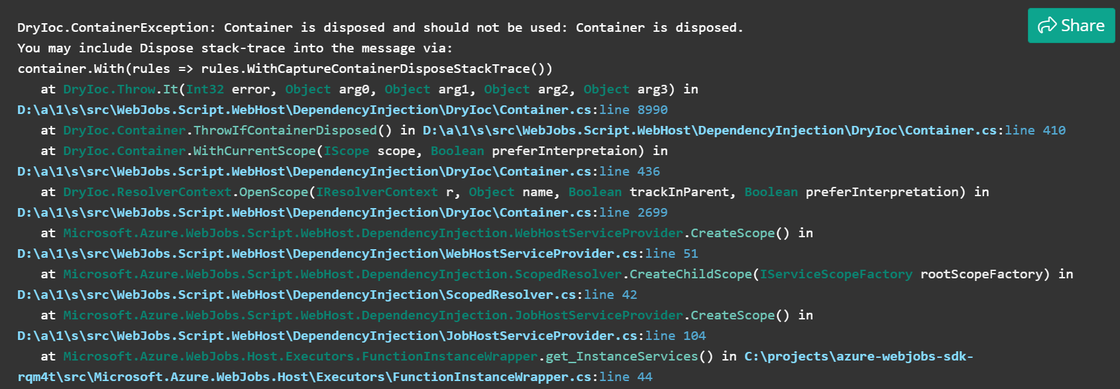
There’s a new Share button on .NET stack traces within the elmah.io app. With this button you can quickly share a link to a stack trace logged by your app, using the elmah.io Stack Trace Formatter. The stack trace will be visible for everyone with the generated link, so only share a stack trace if it doesn’t contain sensitive information about your application (like folder structures and file names).

Share stack trace

Blogged: Facebook and LinkedIn groups for .NET developers

https://blog.elmah.io/facebook-and-linkedin-groups-for-net-developers/

Facebook and LinkedIn groups for .NET developers

Improvement

Better toggle for switching between message and template

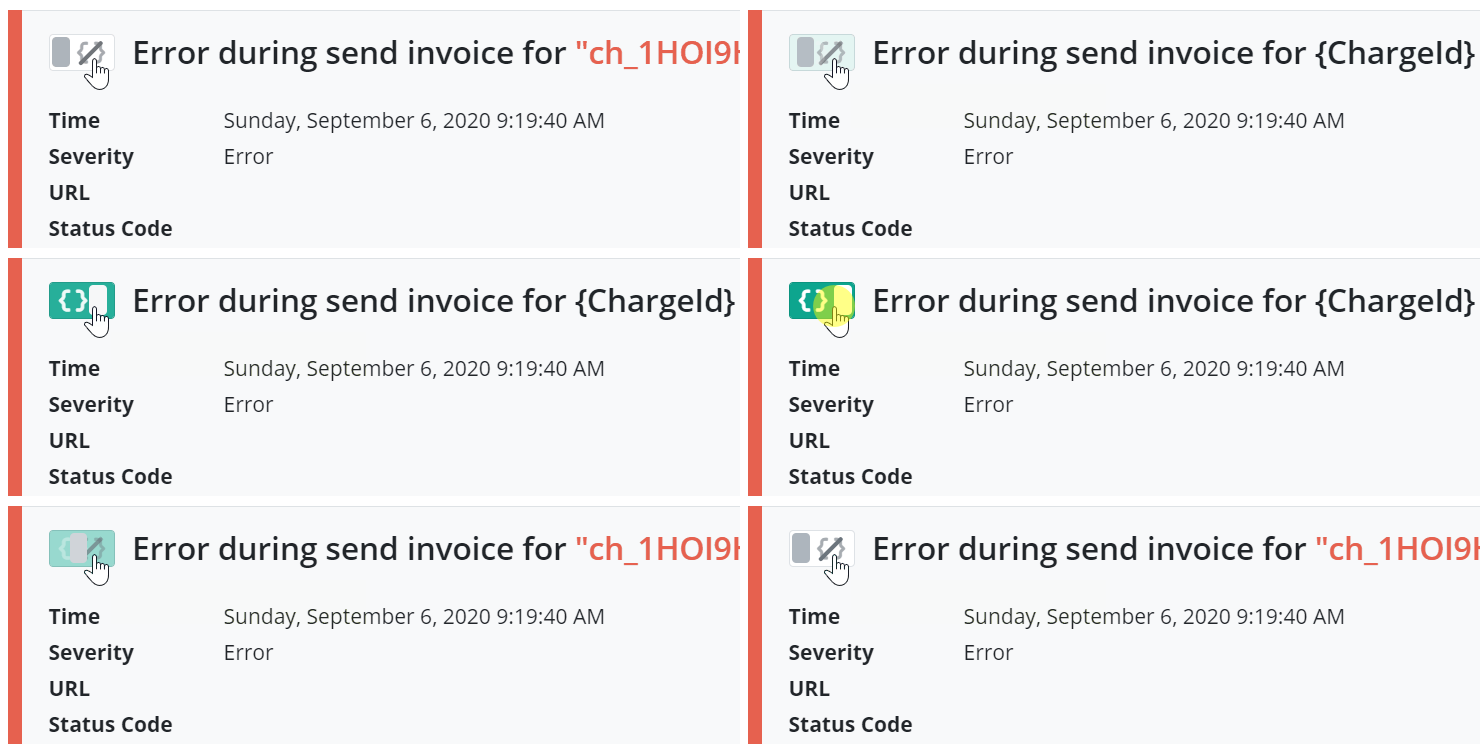
We improved switching between showing message and messageTemplate by introducing a new toggle left of the message:

Message to message template toggle

The toggle was an icon right of the message previously, grouped with the refine search buttons which could be a bit confusing.

Improvement

Better overview of log message (and email) usage

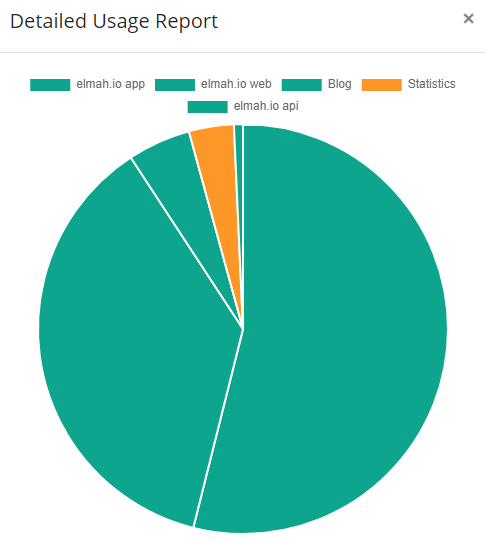
We improved the Detailed Usage Report of both messages and emails, available when clicking the information icon next to Messages and Emails on the organization settings page. Using a pie chart and log names over IDs you get a much better overview of where your log messages are spent each month.

Detailed usage report.png

In addition, you can now click a log and jump directly to this month’s usage on the log overview.

New

Elmah.Io.Log4Net 3.4.43

We released a new version (3.4.43) of the Elmah.Io.log4Net package. The new version includes the following changes:

New

Search surrounding log messages

When looking at an error logged to elmah.io, it sometimes helps to inspect log messages stored just before the error and maybe even after. With the new surround search feature, you can quickly search for the 15 log messages just before a specified message and the 5 log messages just after. Hover the log message and click the new surround icon to see surrounding log messages:

Surround search

New

The elmah.io CLI

We released the first version of the elmah.io CLI. The CLI will help you carry out common tasks like exporting data from elmah.io or tailing a log - all from the command line. Currently, three commands are available:

The CLI can be installed from either GitHub or as a .NET global tool:

dotnet tool install --global Elmah.Io.Cli

To launch the tool run the elmahio command:

elmahio --help

The documentation has been updated with a description of the tool as well as all available commands.

Improvement

Improved combined daily digest

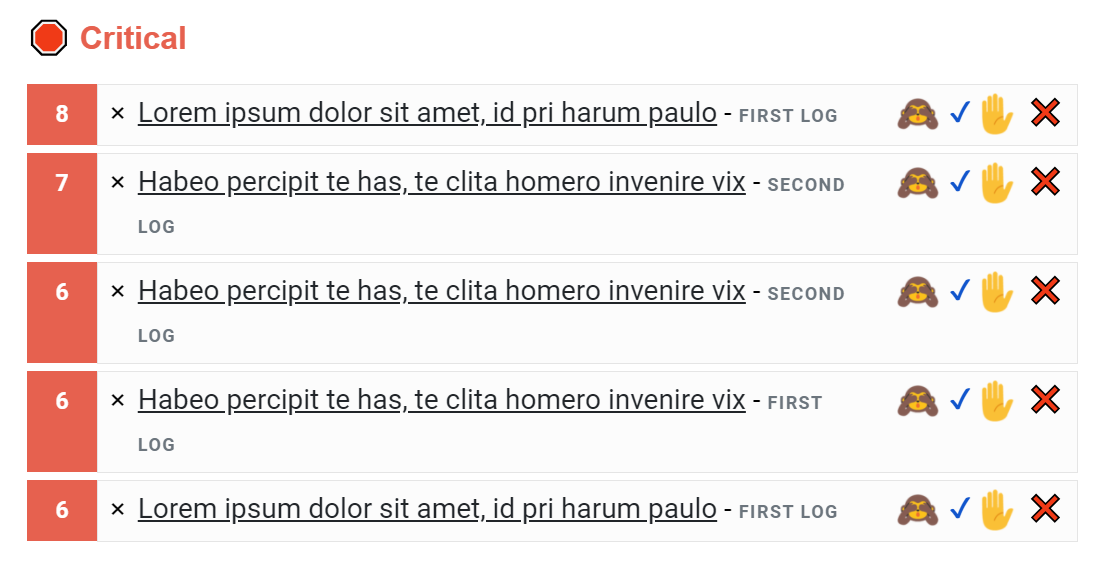
We have improved the Critical, Frequent, and New lists in the combined daily digest email. Each log message is now styled like on the organization overview with a count, severity, message, and log name:

Combined daily digest

We probably want to include the same styling in the individual daily digest email at some point too.

Improvement

Custom range on log overview

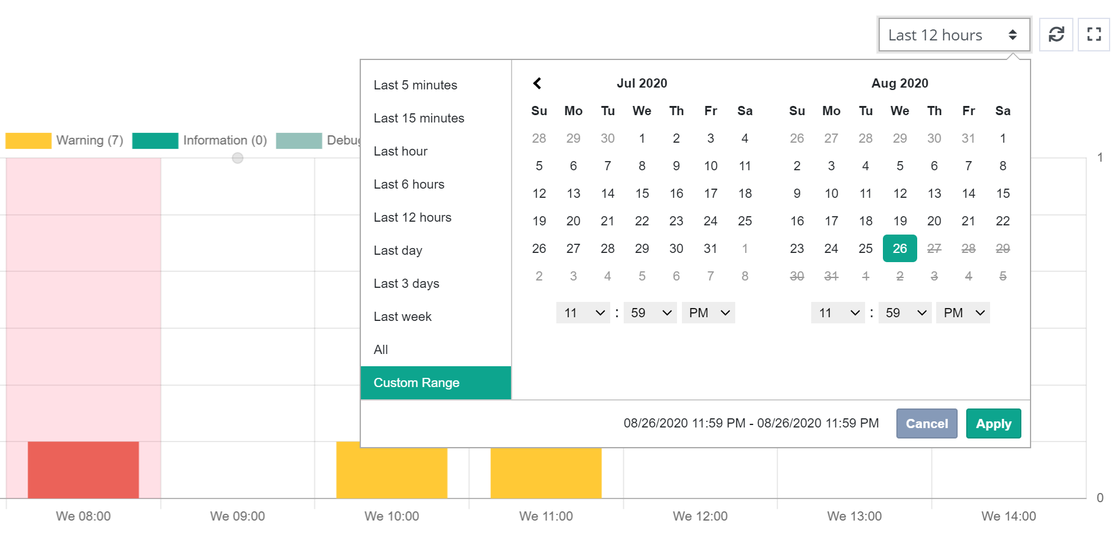
We added a Custom Range option to the log overview, making it possible to inspect period-specific activity in your error logs:

Custom range