elmah.io changelog

New

Marking log messages as fixed or bot

Two new bulk actions have been added to the actions dropdown available in the upper right corner of the search page. The new actions will either mark all messages currently in the search result as fixed or as bot requests.
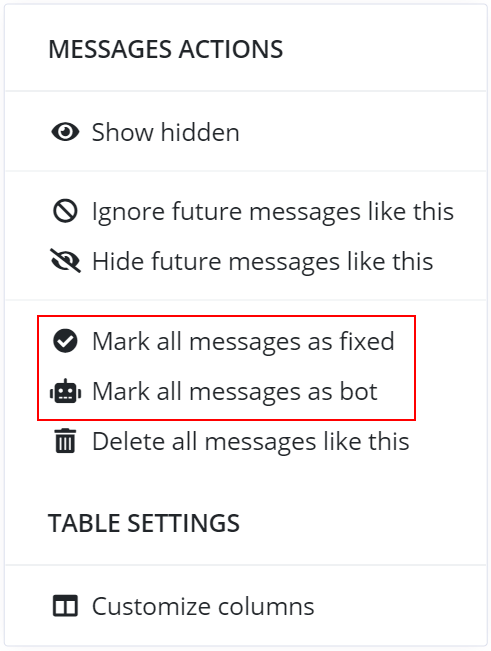
Bulk actions

Improvement

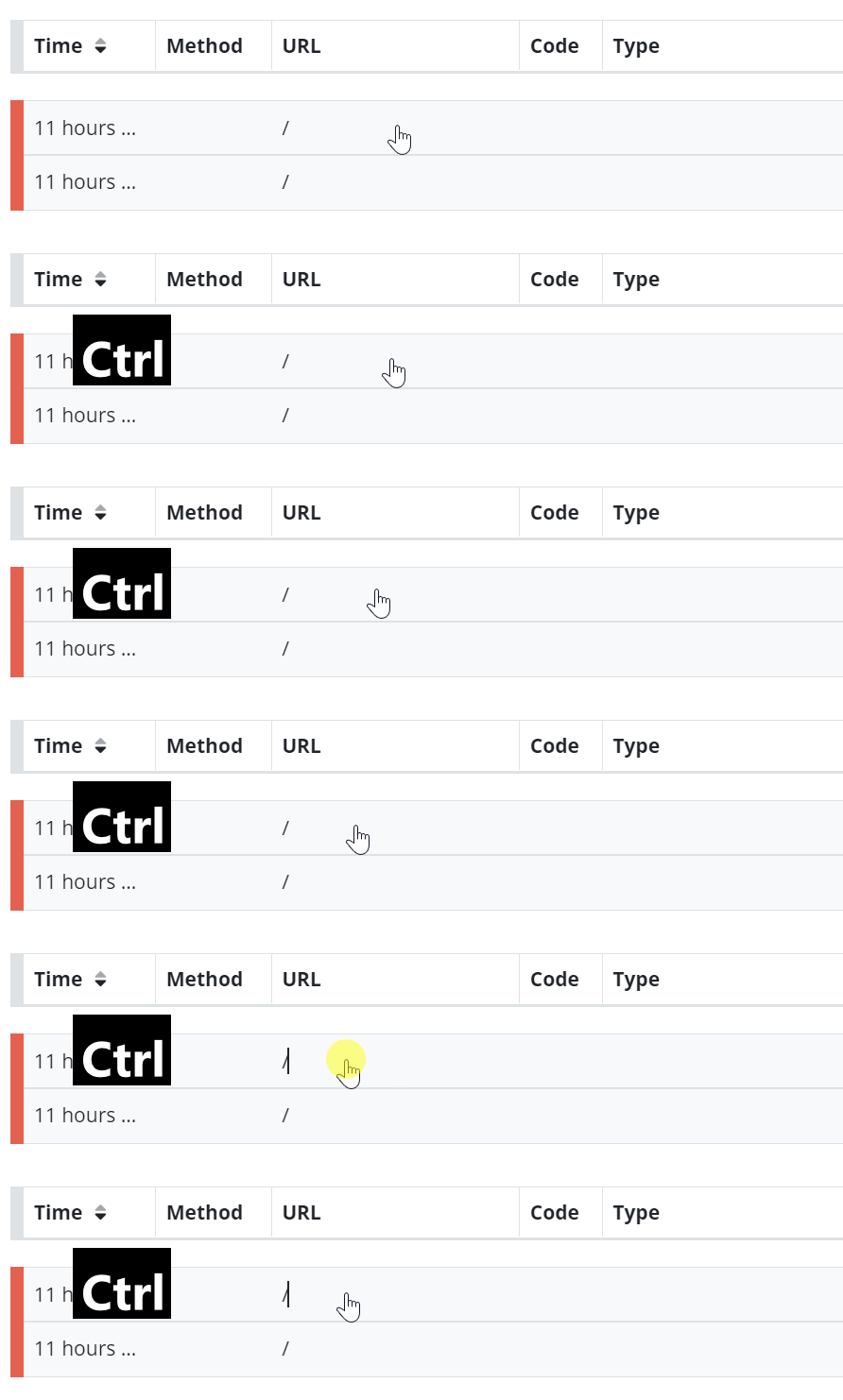
Permalink log message with Ctrl+click

We added support for pressing the Ctrl button while clicking a row on the search page. This will launch the clicked log message in an expanded state in a new tab.

Ctrl+click

December newsletter

We published a new issue of the elmah.io Newsletter: https://us7.campaign-archive.com/?u=66fdd2122e968863d381a26e1&id=e7026f6e0e

Newsletter

If you want to receive an email every 2-3 months with all of the recent goodies on elmah.io, make sure to subscribe here: http://eepurl.com/dE1hCn

Blogged: Managing bounced emails with AWS SES and Azure Functions

https://blog.elmah.io/managing-bounced-emails-with-aws-ses-and-azure-functions/

Managing bounced emails with AWS SES and Azure Functions

Improvement

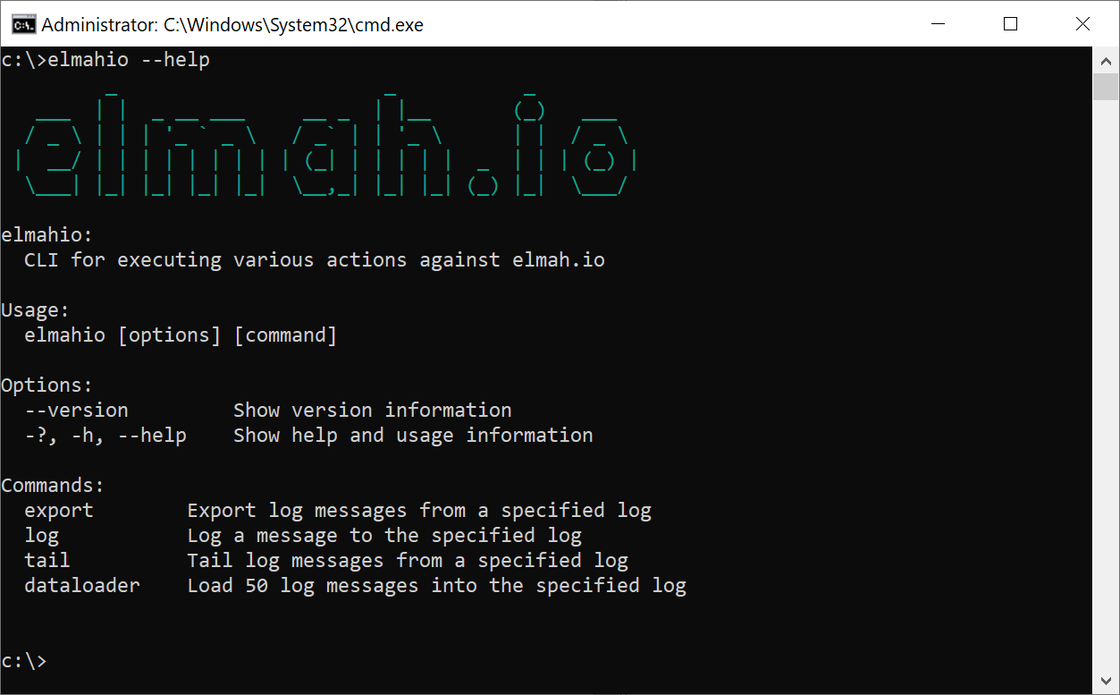
elmah.io CLI 3.0.41

We released a new version (3.0.41) of the elmah.io CLI. The new version includes a nice ASCII logo and improved coloring of the messages outputted by the CLI.

elmah.io CLI

New

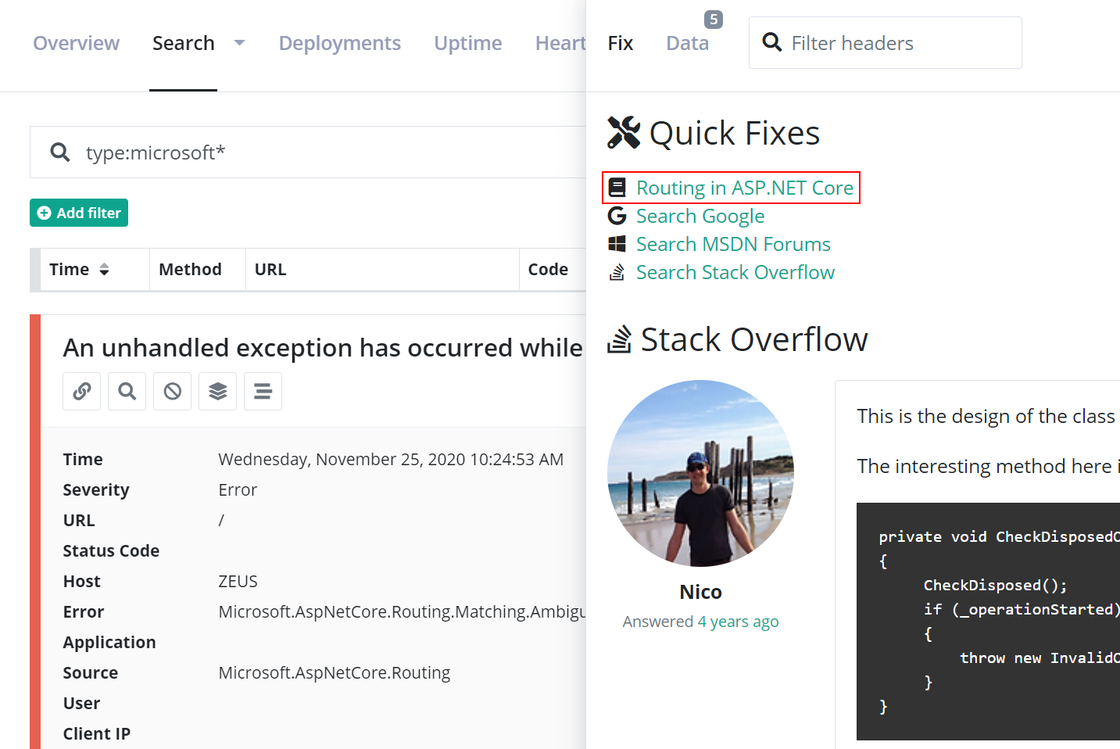
Quick fixes for errors generated by ASP.NET Core

We released a range of new quick fixes that will identify errors generated by ASP.NET Core and link you in the direction of the right documentation:

ASP.NET Core quick fix

Blogged: Monitoring .NET scheduled tasks - Tools and alternatives

https://blog.elmah.io/monitoring-net-scheduled-tasks-tools-and-alternatives/

Monitoring .NET scheduled tasks - Tools and alternatives

Free .NET tools

You may know about one or more of the free tools we have made available. Like the Web.config Validator and the Stack Trace Formatter. There’s a new page with a list of all available tools here: https://elmah.io/tools/

Improvement

Using structured log messages from Uptime Monitoring

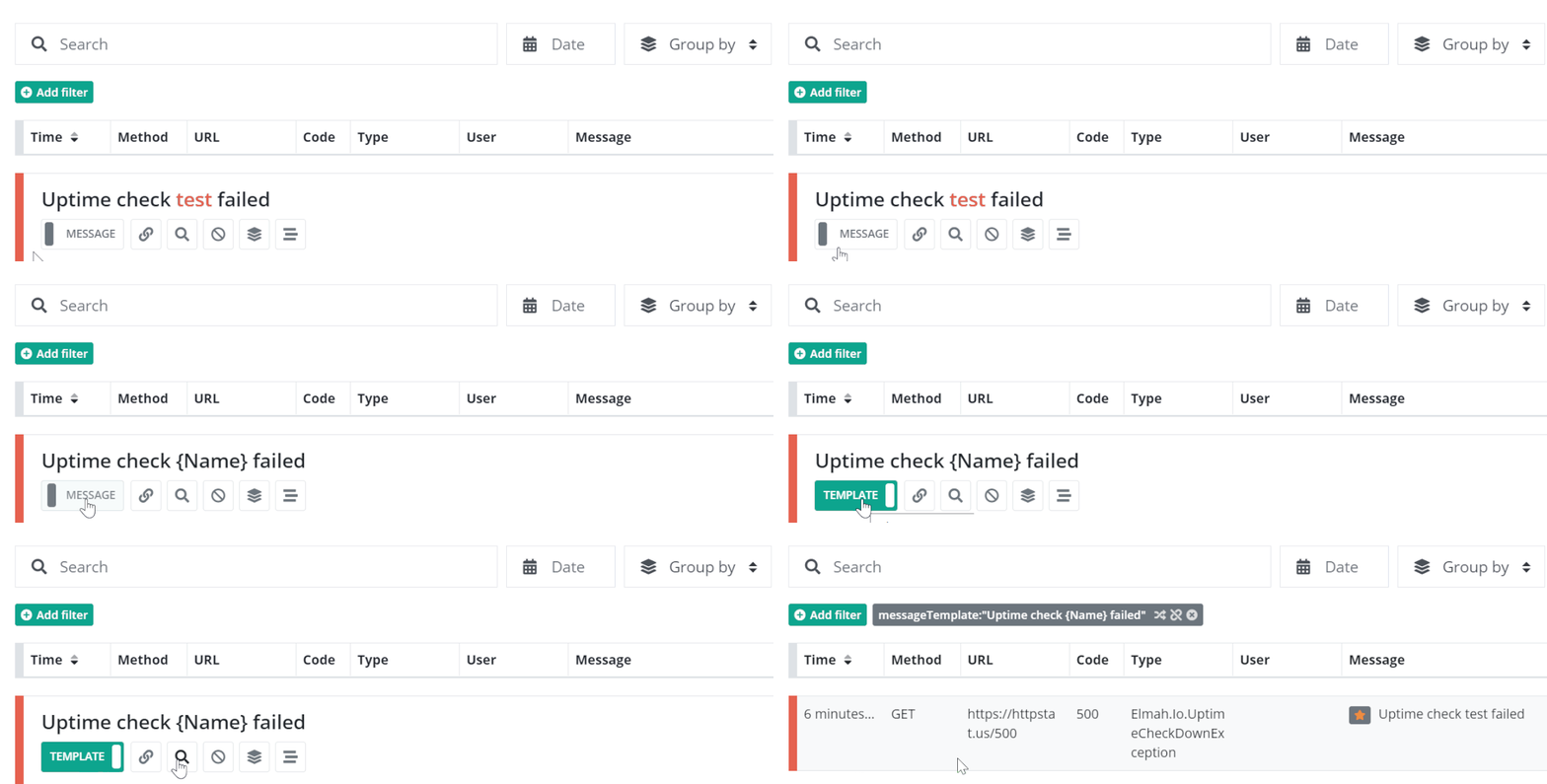
We have started using structured log messages when logging errors and information messages from Uptime Monitoring. The feature works in the same way as before, but it will be easier to show all errors of a specific type like this:

Filter uptime checks

New

Multiline String Converter tool

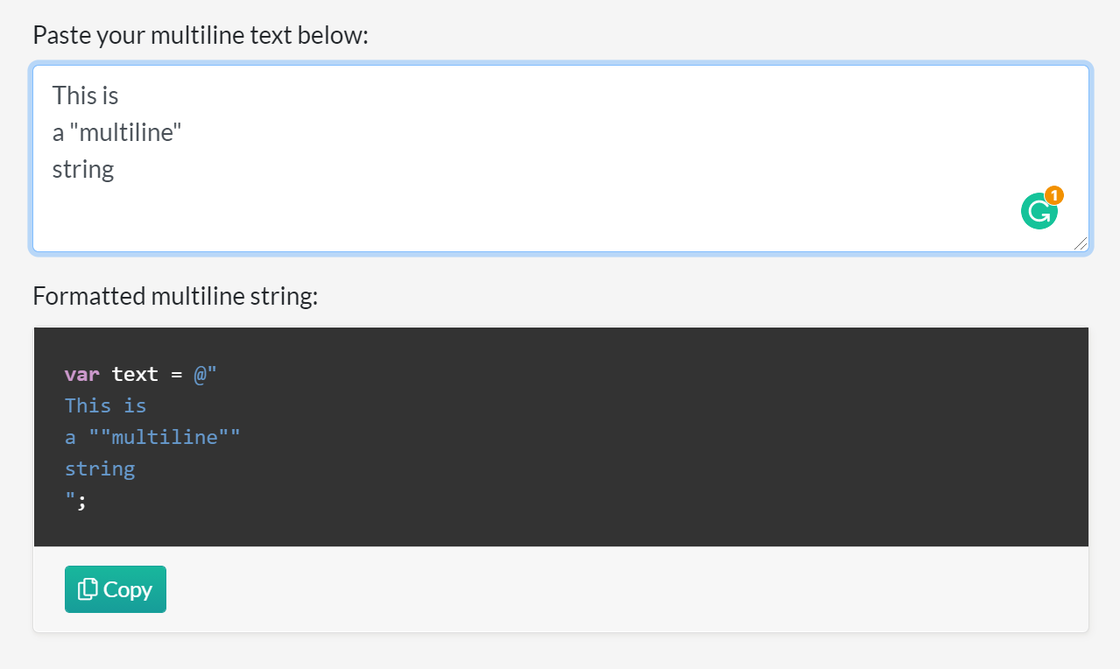
We added a new tool that can convert a multiline text to a C# verbatim string: https://elmah.io/tools/multiline-string-converter/

Multiline String Converter

Feel free to use it next time you need to embed multiline text in your C# files.

Blogged: Call anonymous C# functions from JS in Blazor WASM

https://blog.elmah.io/call-anonymous-c-functions-from-js-in-blazor-wasm/

Call anonymous C# functions from JS in Blazor WASM

New

Elmah.Io.Extensions.Logging 3.8.68

We released a new version (3.8.68) of the Elmah.Io.Extensions.Logging and Elmah.Io.AspNetCore.ExtensionsLogging packages. The new version includes a small fix of an exception sometimes thrown by ASP.NET Core when accessing Form variables.

Improvement

More columns in Customize columns

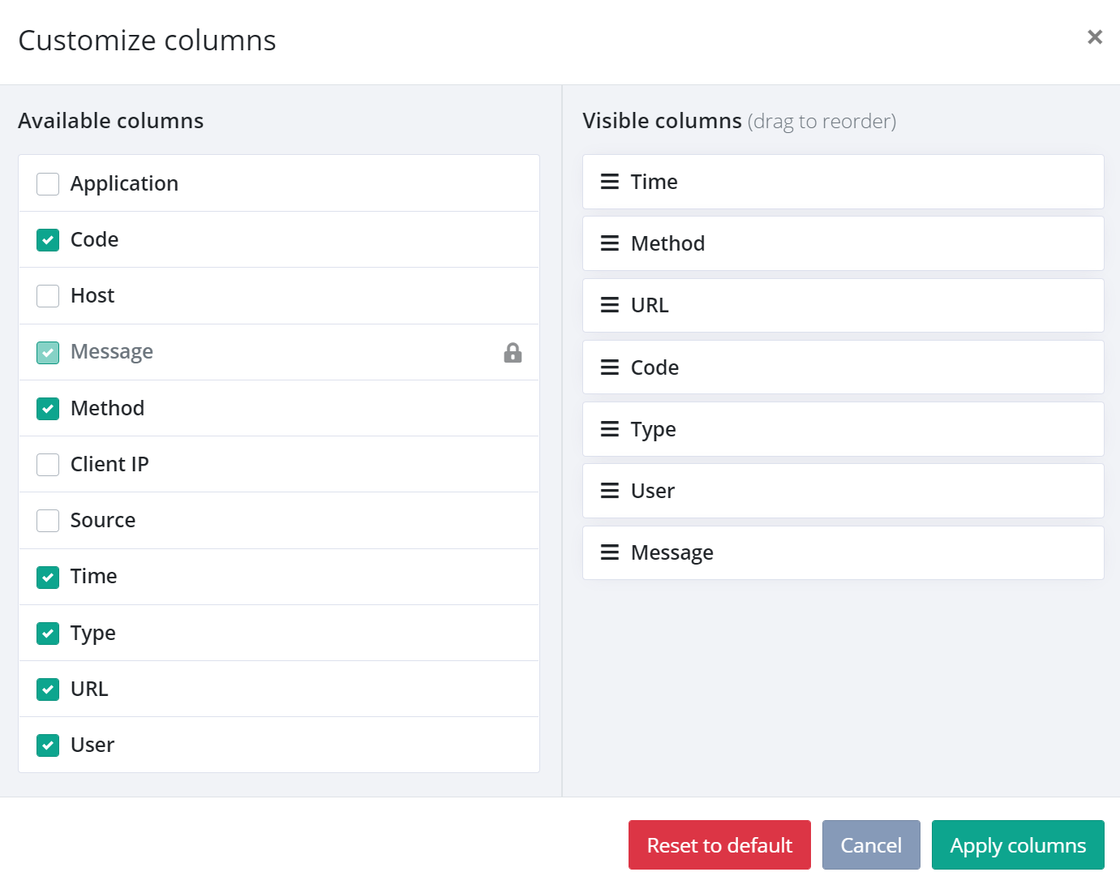
We added more columns to the new Customize columns feature. As part of this change, we pulled out the HTTP method (previously part of URL), and the application name (previously part of Message). You can add both columns back in if you want to see the method and application on the search view. Having these as individual columns will make it possible to sort log messages by these properties too (wasn’t possible previously since they were part of another column).

Customize columns

Blogged: How to send push notifications to a browser in ASP.NET Core

https://blog.elmah.io/how-to-send-push-notifications-to-a-browser-in-asp-net-core/

How to send push notifications to a browser in ASP.NET Core

New

Customize columns

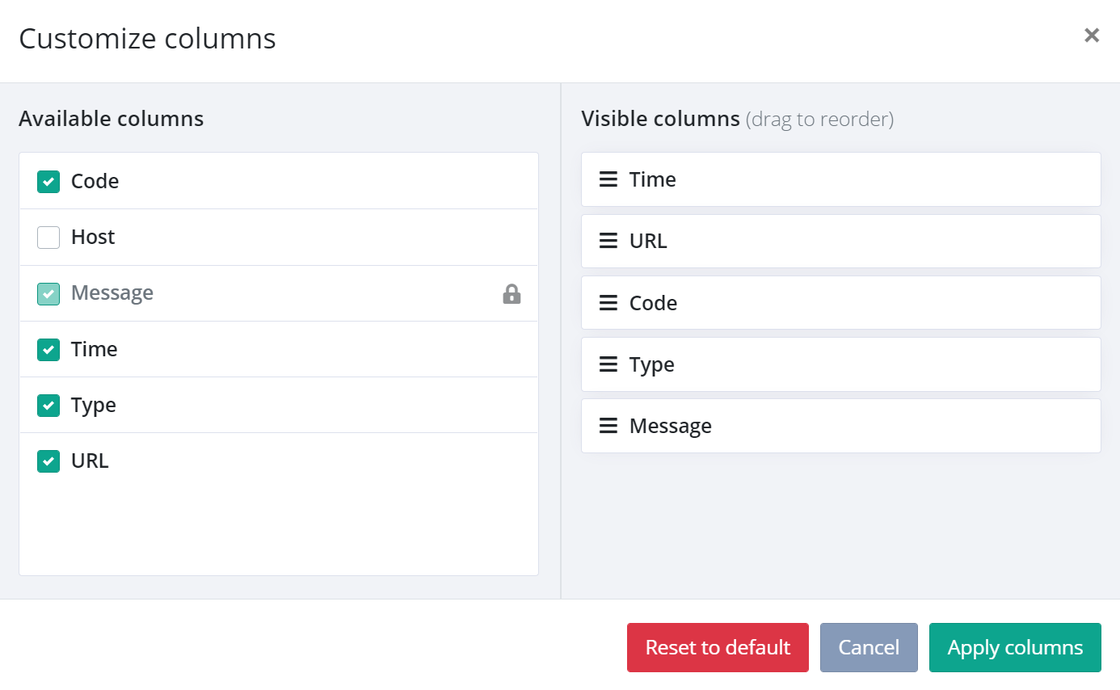
We have launched a much-requested feature: Customize columns. With the new columns modal, you can specify which columns to show on the search page and in which order. For now, we have included the columns already there, but we will soon include more columns. The Customize columns modal can be found through the gears icon in the top right corner of the search page.

configurable-columns.png

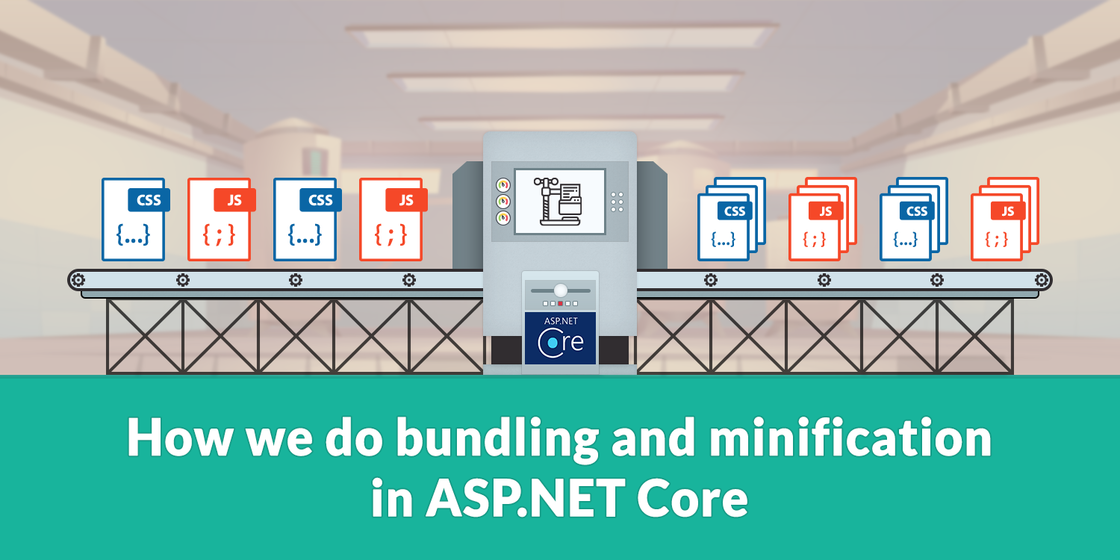
Blogged: How we do bundling and minification in ASP.NET Core

https://blog.elmah.io/how-we-do-bundling-and-minification-in-asp-net-core/

How we do bundling and minification in ASP.NET Core

New

Import dummy data with the elmah.io CLI

We have extended the elmah.io CLI with a new command to load 50 dummy log messages into a log. Using dummy messages is a great way to fill an elmah.io log with demo data without having to integrate with an application and producing messages manually.

The documentation has been updated here: https://docs.elmah.io/cli-dataloader/.

New

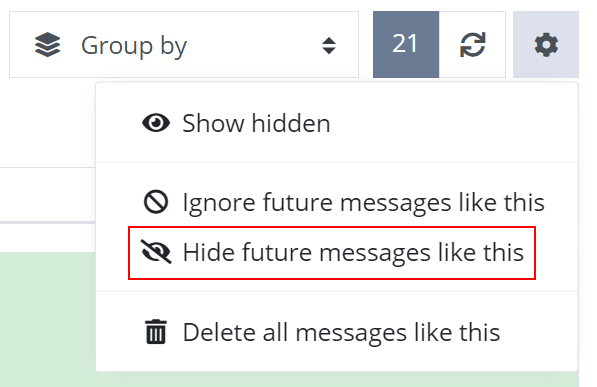
Hide future messages like this

There’s a new way to create a hide filter directly from the search view. Like the existing Ignore future messages like this you can now Hide future messages like this which will create a similar filter but hide new log messages instead of deleting them. Hidden log messages can be toggled on/off from the same drop-down menu:

Hide future messages like this

Improvement

Better grouping of similar URLs

The hashing algorithm used in various features on elmah.io (like the isNew flag and when grouping log messages by Unique) has been improved in the way it looks at URLs. It’s a common practice to include IDs as part of a REST URL like this:

/customers/42/edit
/customers/43/edit

elmah.io is now able to detect this scheme and treat it as the same URL.

(The hash is constructed from multiple fields, why the two URLs above could still get individual hashes if the log message and/or error type are different.)

Blogged: Error monitoring and detailed logging of an ASP.NET Core application with PostSharp and elmah.io

https://blog.elmah.io/error-monitoring-and-detailed-logging-of-an-asp-net-core-application-with-postsharp-and-elmah-io/

Error monitoring and detailed logging of an ASP.NET Core application with PostSharp and elmah.io