elmah.io changelog

New

API key authentication on the MCP server

The MCP server now supports authentication through an elmah.io API key. This makes it possible to integrate with the MCP from automated processes like a remote agent, a build pipeline, and similar. When using an API key, your requests run in the context of your organization and not your user. To fully understand the differences and how to set it up, read through the new documentation here: Call MCP Server Using an API Key.

We also added an overview of all available tools here: Available tools.
Blogged: Designing high-throughput APIs for 1M requests/minute .NET

https://blog.elmah.io/designing-high-throughput-apis-for-1m-requests-minute-net/

Designing high-throughput APIs for 1M requests/minute .NET

Learn how to build high-throughput .NET APIs for 1M requests/min using EF Core optimizations, Dapper, database indexing, and caching tactics.

New

Link to search results from Bugster and UI improvements

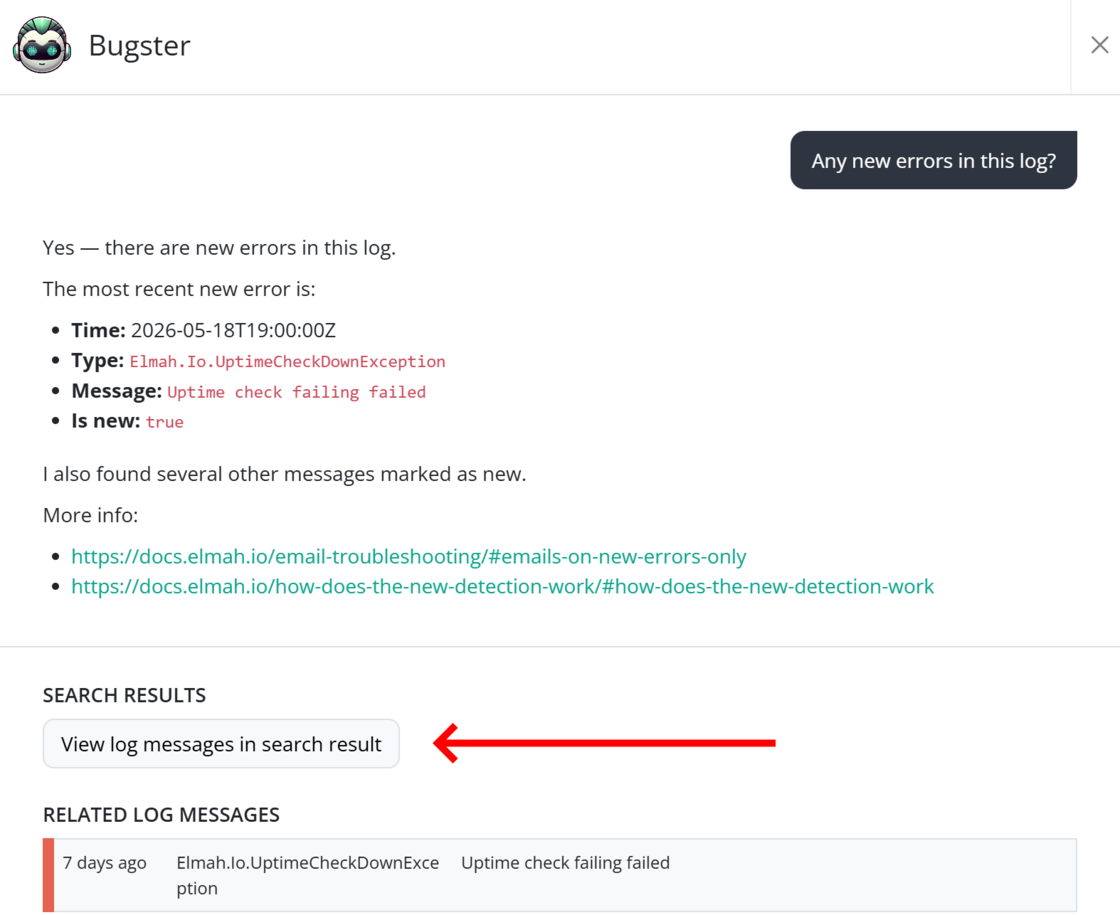
We have extended Bugster to include links to search results when log messages are used as input for an answer. Like the direct links beneath Related log messages, the new Search results section will let you navigate directly to the Search page. So, for example, when asking about new errors, you’d get a link to a search result showing all log messages with a isNew flag set to true and severity set to Error.

We also used the occasion to make a few UI changes in the Bugster view. Among other improvements, the answer is not generated directly after the question, instead of using up space for speech bubbles. This also aligns with how popular chat clients like Claude and ChatGPT look.

Link to search results from Bugster and UI improvements

New

Elmah.Io.JavaScript 4.3.0

We released a new version (4.3.0) of the Elmah.Io.JavaScript package. The new version includes the following changes:

Improved CSS selectors:

SPA navigation tracking:

TLS 1.2 requirement for api.elmah.io

Starting May 1, 2027, elmah.io requires TLS 1.2 or higher when connecting to api.elmah.io. Learn how to check if you are affected and how to upgrade here: https://docs.elmah.io/tls-1-2-requirement-for-api-elmah-io/

If you have questions or need help determining whether your setup is affected, please reach out via support.

Blogged: How to upload files in an ASP.NET Core Web API

https://blog.elmah.io/how-to-upload-files-in-an-asp-net-core-web-api/

How to upload files in an ASP.NET Core Web API

Learn how to upload, rename, and restrict file sizes in an ASP.NET Core Web API with clean service layers, OpenAPI, and download support.

New

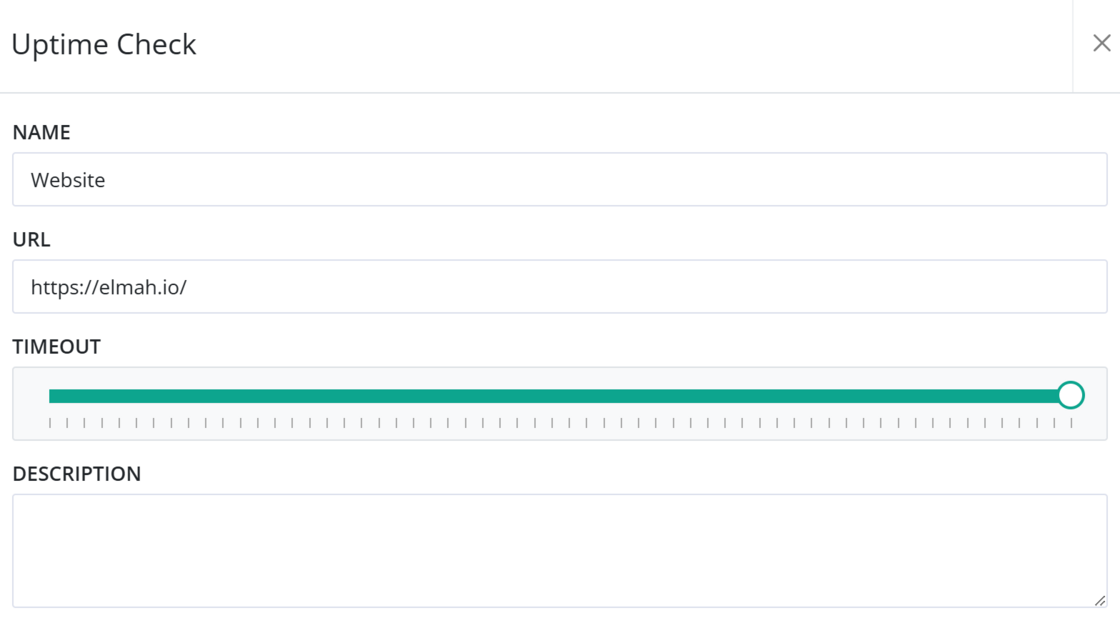
More configuration options on Uptime Checks

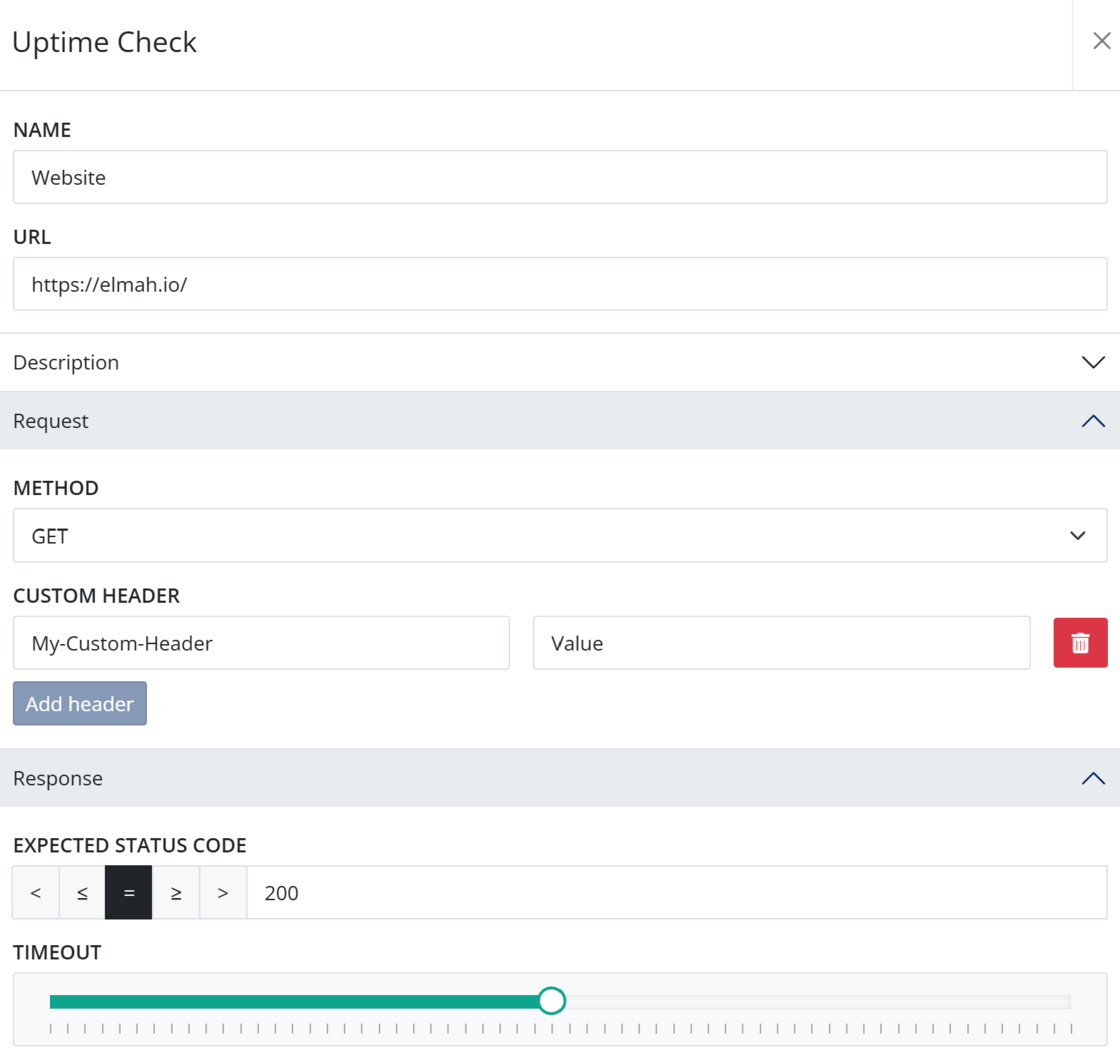
We gave uptime checks an overhaul with even more configuration options. In addition to the existing settings, you can now:

All existing uptime checks are configured using GET, no custom headers, and with an expected status code less than 400. The options can be found by expanding the new Request and Response groups when creating/editing an uptime check.

More configuration options on Uptime Checks

New

New heartbeat tools on MCP Server and uptime/heartbeats on Bugster

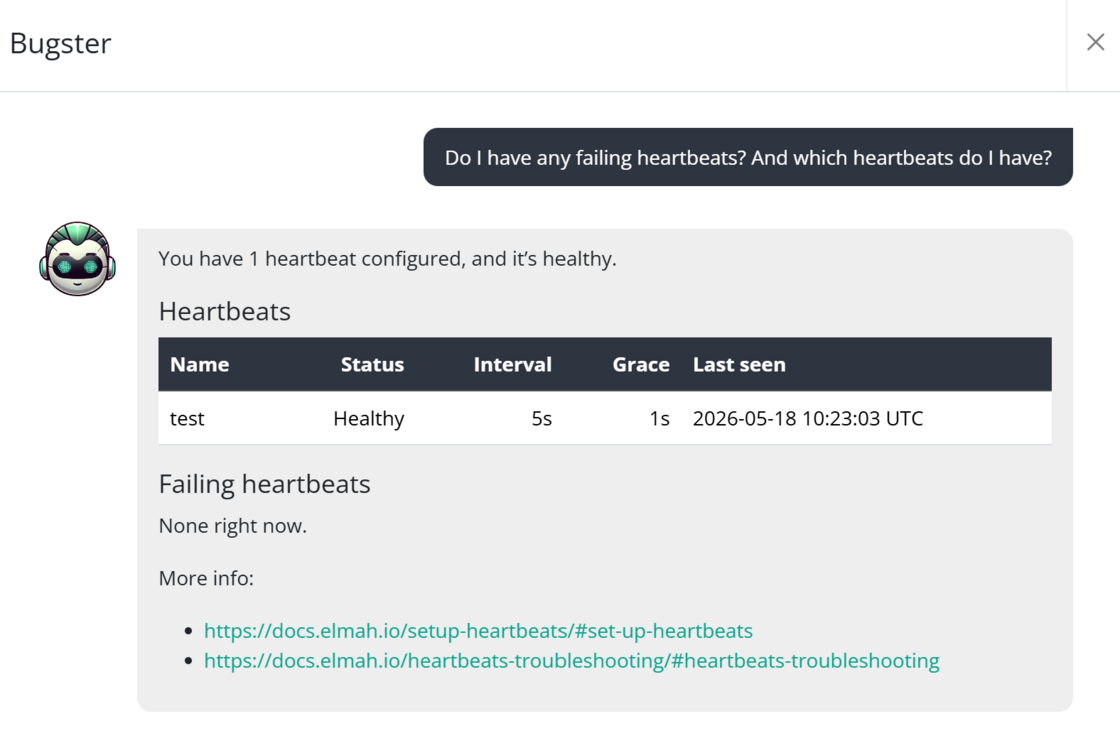
We have added two new heartbeat tools to the MCP server. With these tools, you can check the current heartbeat status in a log and get detailed information about a specific heartbeat. Like “Do I have any failing heartbeats right now?” or “Why did the heartbeat X fail one hour ago?”.

We have also made both the Uptime and Heartbeat tools available to Bugster, so that you can ask questions within the elmah.io UI:

Heartbeat tools on MCP Server and uptime/heartbeats on Bugster

Improvement

All uptime issues have now been migrated to Recommendations

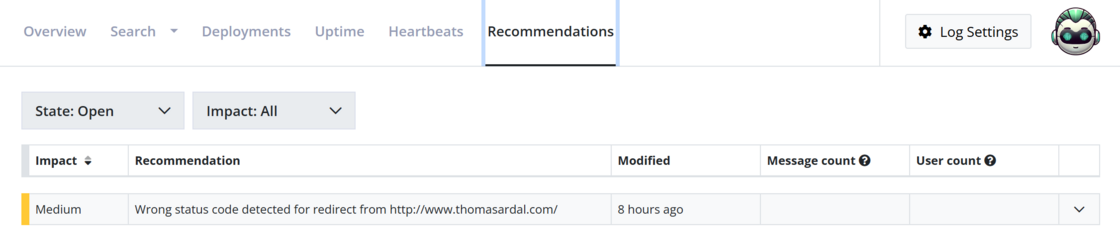
Since all issues logged by uptime monitoring have now been migrated to Recommendations, these are no longer logged as log messages. This applies to the various toggles available on uptime checks and not up/down messages. Examples of issues migrated to recommendations are expiring SSL certificates, Lighthouse score decrease, security headers, etc.

Switching to recommendations means that an issue is only logged once, instead of the previous solution, where issues were logged as log messages daily. This took up log messages against your monthly quota, and the issues quickly disappeared between normal log messages.

To subscribe to emails when new recommendations are logged, enable the New Recommendation toggle on the Emails tab on your profile.

All uptime issues have now been migrated to Recommendations

Blogged: The complete guide to mastering Dapper micro-ORM in .NET

https://blog.elmah.io/the-complete-guide-to-mastering-dapper-micro-orm-in-net/

The complete guide to mastering Dapper micro-ORM in .NET

Master the power of Dapper micro-ORM in .NET. Learn how to combine high-speed SQL performance with clean C# object mapping in this guide.

New

Uptime Checks and Heartbeats statistics

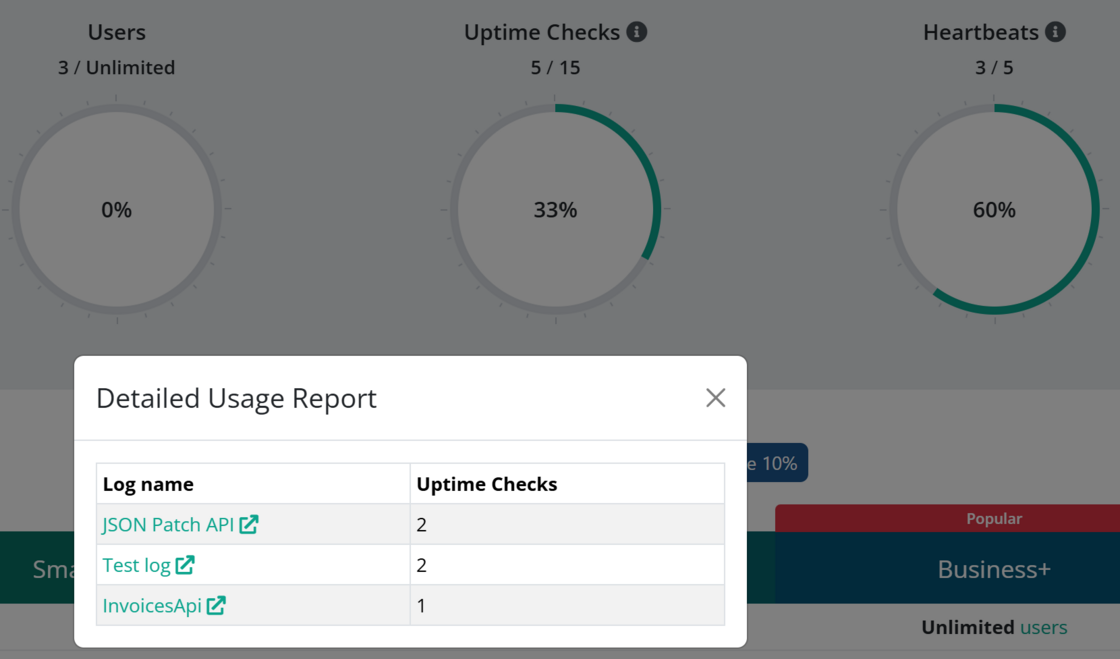
There are two new pop-ups on the Subscription tab on the Organization Settings page. When clicking the info icon next to Uptime Checks and Heartbeats, a pop-up will show exactly where you are using the checks included in your plan:

image.png

New

Last 30 days option on overviews

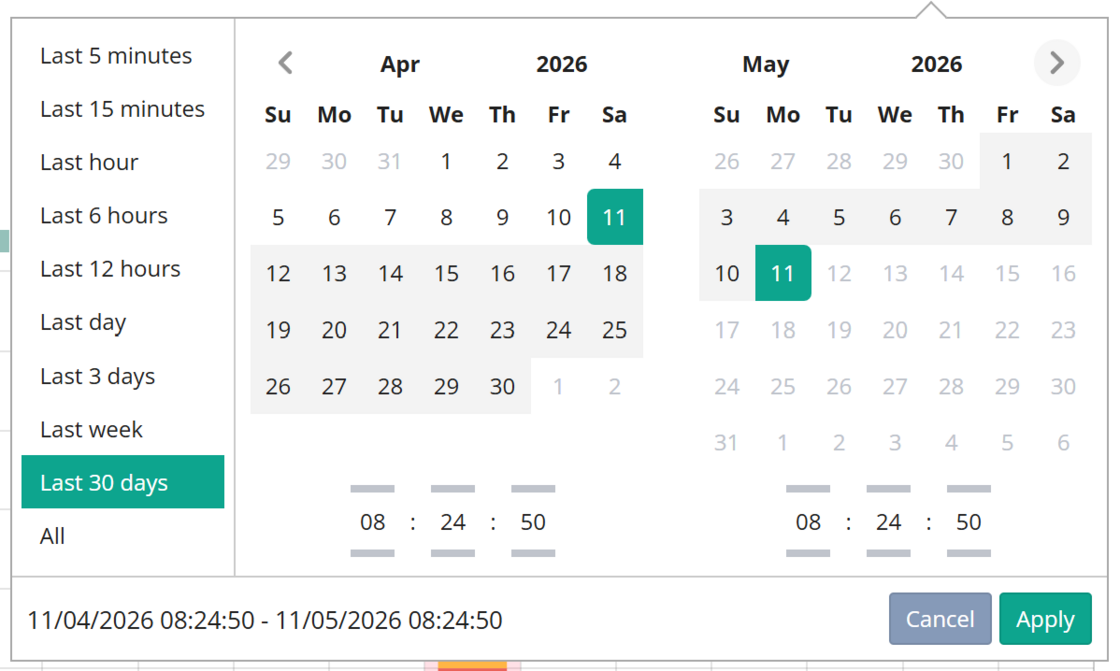
There’s a new Last 30 days option available in the date and time dropdown. The option is available on both the Organization Overview and Log Overview pages, but only for users with a retention longer than 30 days.

image.png

New

New recommendation when HTTP rules or apps fail

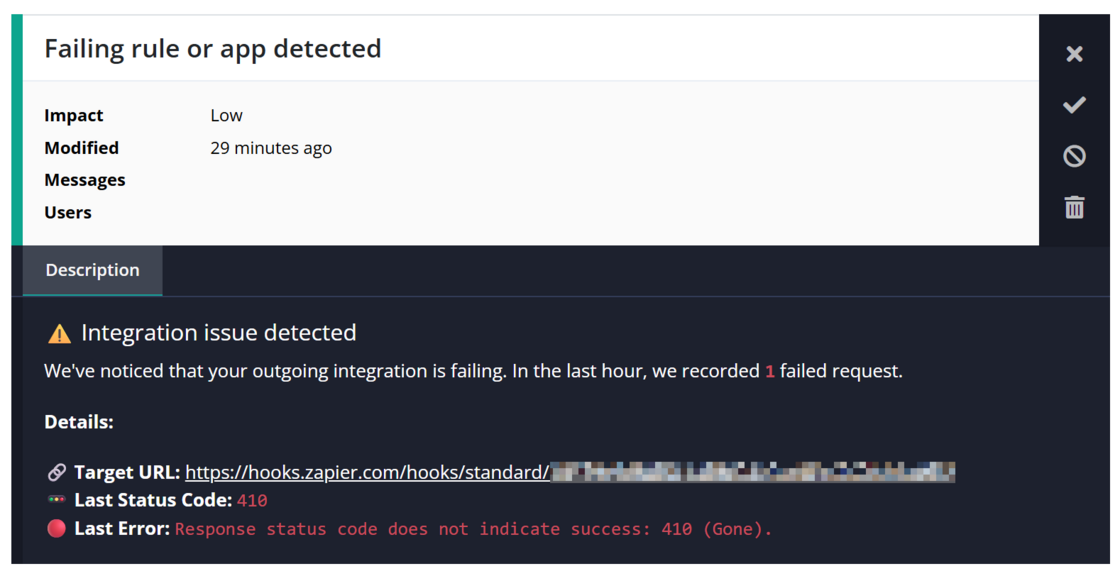
There’s a new recommendation created on the log level when we detect a failing integration. The recommendation is created if the HTTP endpoint configured as part of either an HTTP rule or one of the app integrations (Slack, Teams, etc.) fails.

image.png

Blogged: Pattern matching in C#: Advanced scenarios you didn't know

https://blog.elmah.io/pattern-matching-in-c-advanced-scenarios-you-didnt-know/

Pattern matching in C#: Advanced scenarios you didn't know

Master advanced C# pattern matching! Explore nested property patterns, list patterns, and switch expressions to write cleaner, readable code.

New

Uptime tools now available on the MCP Server

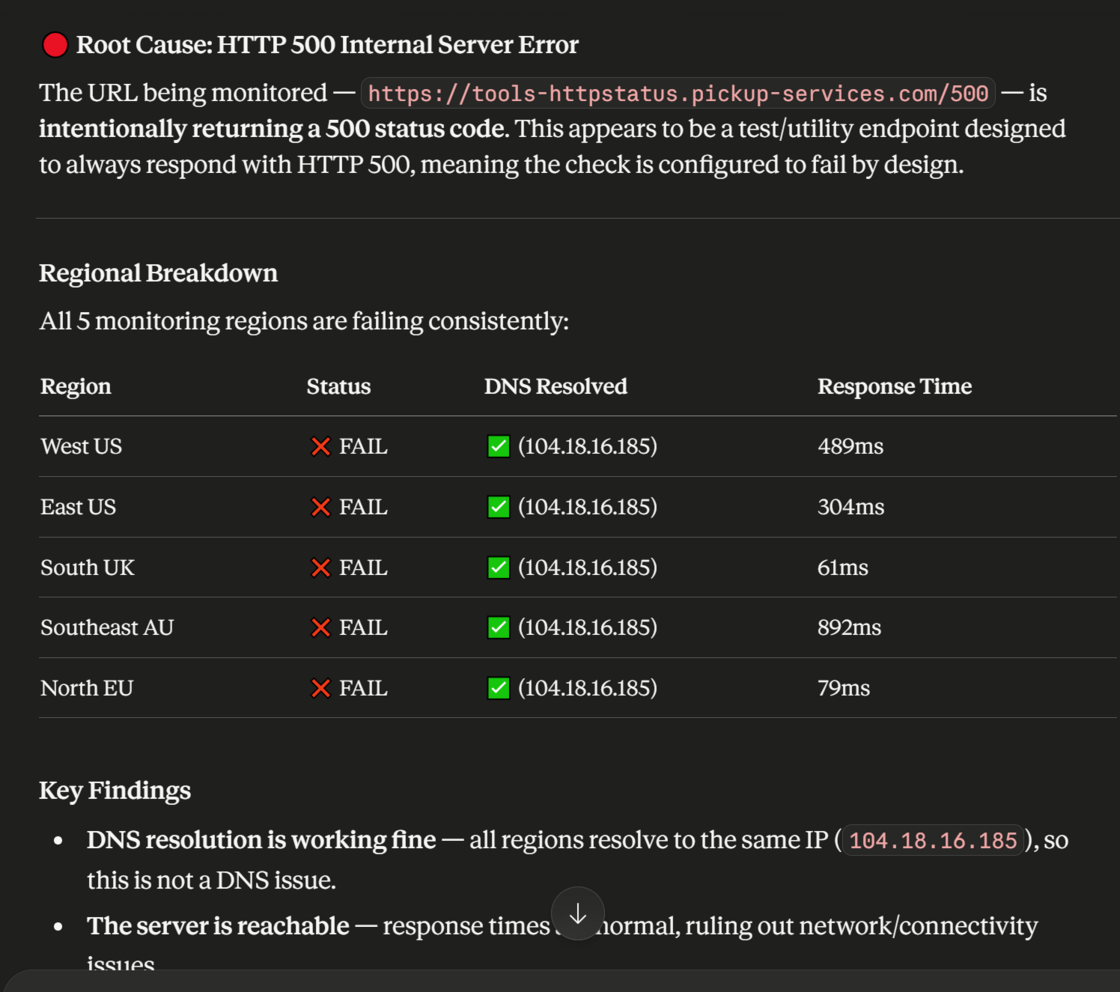
New tools for uptime monitoring have been added to the MCP Server. With these new tools, you can fetch a list of uptime checks, alongside the current status, for a specified log. The details tool will let LLMs generate root cause analysis of why an endpoint failed.

Uptime tools now available on the MCP Server

New

MCP Server

We’re very happy to announce that elmah.io can now be integrated in your favorite AI client using the new elmah.io MCP Server. The service is still in beta, but we have been testing it with several users over the last few months. There are many benefits to having access to log data from your AI agents, such as quickly identifying errors and possibly having the client fix them directly in your codebase. We are looking forward to hearing what you are building.

The MCP server is available on https://mcp.elmah.io/mcp and requires the client to support an OAuth flow. There are examples on how to set this up in popular clients like Claude and CoPilot, both on the MCP landing page, as well as in the elmah.io documentation.

Blogged: 12 practices for optimizing PostgreSQL queries for large datasets

https://blog.elmah.io/12-practices-for-optimizing-postgresql-queries-for-large-datasets/

12 practices for optimizing PostgreSQL queries for large datasets

Boost PostgreSQL performance with 12 expert tips for large datasets from partitioning to partial indexes and avoiding bloat. Stay fast and scale.

Improvement

Responsive log boxes and more improvements on the Dashboard

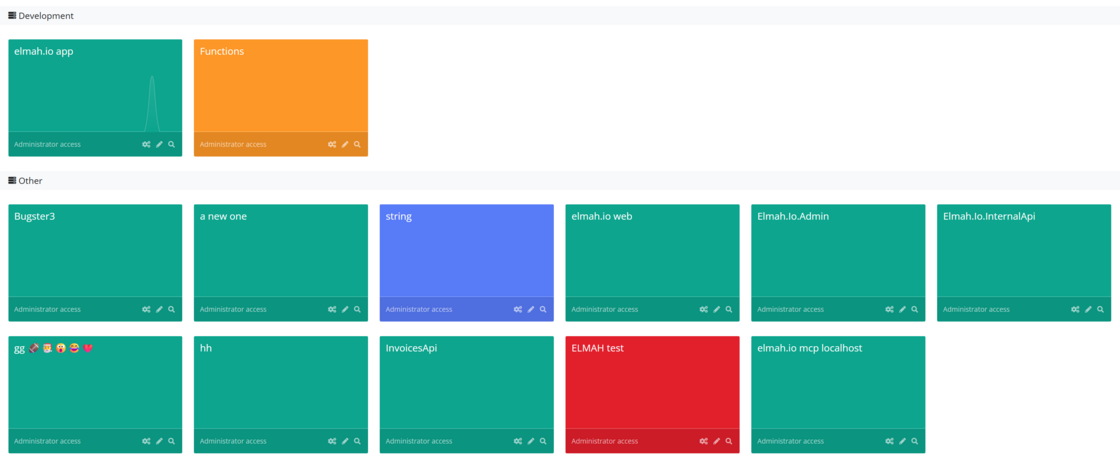
We have added two changes to the dashboard. The most visible change is increasing the number of possible log boxes shown per row. The view has always been responsive, but with a maximum of 4 boxes per row. On higher resolutions, we now show up to 8 boxes per row. You can change Zoom settings in Windows or in the browser if you want to increase/decrease the number of boxes shown on a big screen.

To make the scale clearer, we now show the max log message counter on log boxes when in kiosk/full-screen mode. When running in normal mode, you can still hover each log box to show the counter.

image.png

Blogged: EF Core query translation: Why does some LINQ never become SQL?

https://blog.elmah.io/ef-core-query-translation-why-does-some-linq-never-become-sql/

EF Core query translation: Why does some LINQ never become SQL?

Understand why certain EF Core LINQ queries fail to translate to SQL. Explore real-world examples, from custom methods to .NET reflection.

New

Description on uptime checks and heartbeats

We have added an optional description field to Uptime Checks and Heartbeats to allow for better internal documentation and context. This metadata is accessible via the create and edit views to help you clarify the purpose or ownership of specific monitoring targets.

Description on uptime checks and heartbeats