Filter users on organization and log settings
There’s a new filter users box on both the organization and log settings pages. This will help organizations with many users quickly find a user account to make changes to.
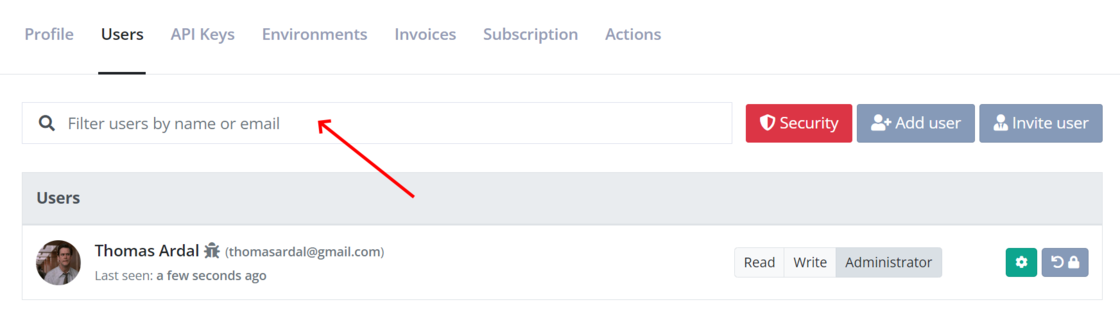
There’s a new filter users box on both the organization and log settings pages. This will help organizations with many users quickly find a user account to make changes to.
We have introduced a new button to reorder logs alphabetically. The button is shown when clicking the reorder icon in the top left corner of the dashboard. Reordering logs alphabetically will automatically order logs by name within each environment. You can, of course, still drag logs around manually.
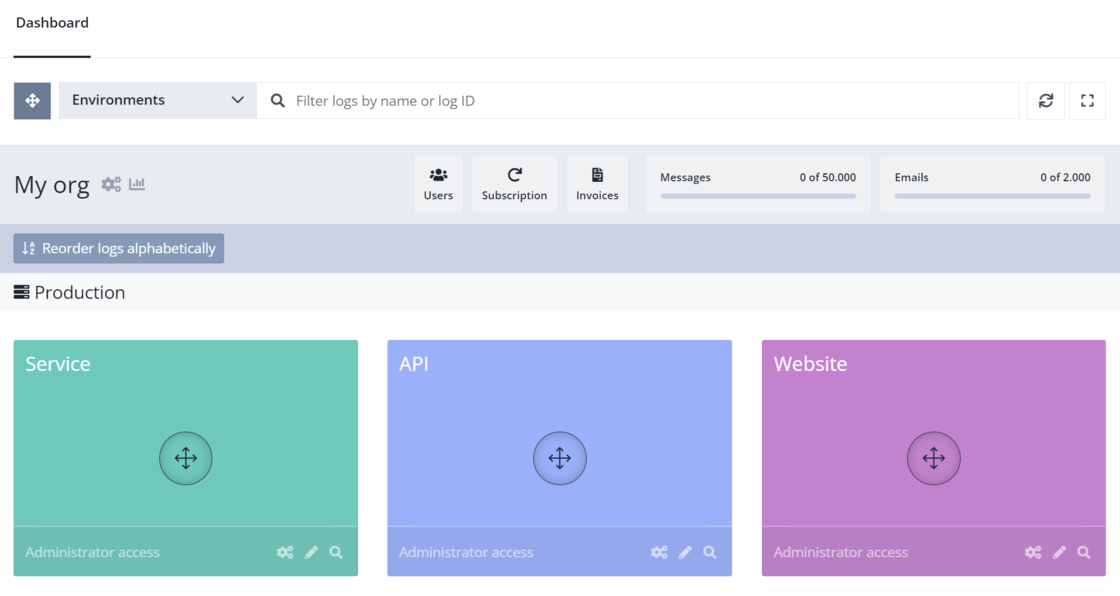
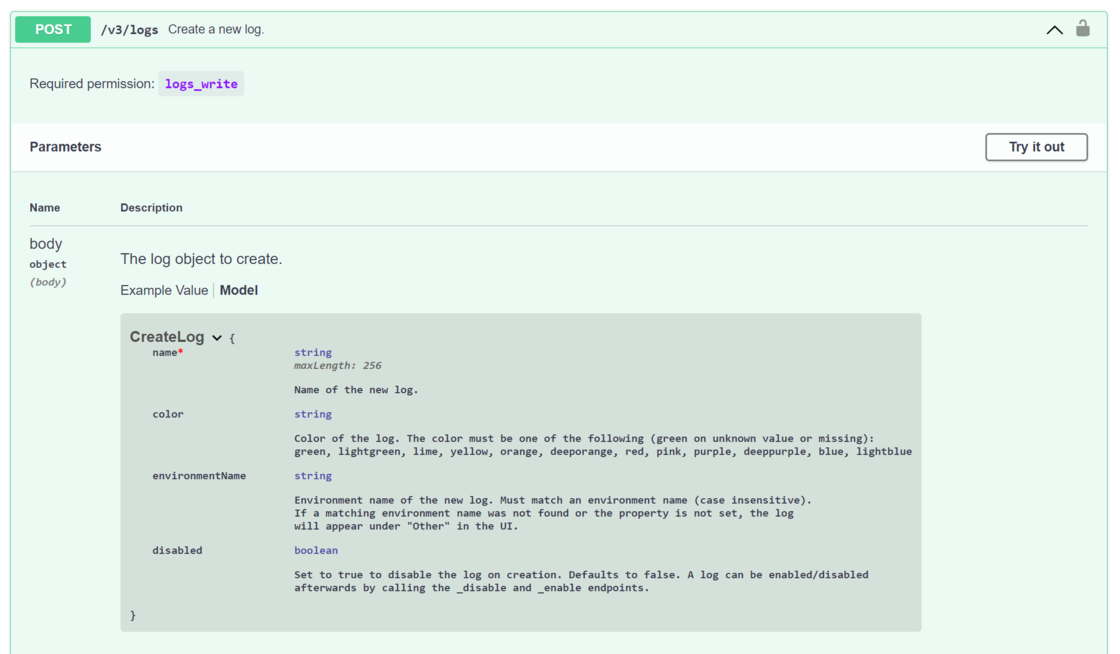
The create log API endpoint now supports setting the log color, environment, and the disabled flag as part of the request.
There’s a new integration with elmah.io available for Isolated Azure Functions. Unlike the Elmah.Io.Functions package, Elmah.Io.Functions.Isolated works with the “new” out-of-process model available for Azure Functions. Check out the new documentation on how to set it up, as well as built-in support or logging heartbeats.
We released a new NuGet package named Elmah.Io.Client.Extensions.Correlation. The package will (with a single line of config) decorate log messages with a correlation ID, making it possible to correlate messages across multiple sites and services on the elmah.io UI. The package is available on NuGet and fully documented here: How to correlate messages across services.
We released a new version (4.3.26) of the Elmah.Io.Log4Net NuGet package. The new version includes the following changes:
Elmah.Io.Client.We released a new version (5.0.38) of the Elmah.Io.NLog NuGet package. The jump in major version indicates that there could be issues in your code that needs to be fixed after upgrading. The new version includes the following changes:
Application property on the target. Set the application name through the context or OnMessage.mdlc with scopeproperty.CancellationToken support.Elmah.Io.Client.We released a new version (4.3.29) of the Serilog.Sinks.ElmahIo NuGet package. The new version includes the following changes:
PeriodicBatchingSink to implementing IBatchedLogEventSink (Serilog.Sinks.PeriodicBatching >= 3.1.0 needed).Elmah.Io.Client.We released a new version (4.2.23) of the Elmah.Io.Heartbeats.Hangfire NuGet package. The new version includes the following changes:
Elmah.Io.Client.We released a new version (4.2.28) of the Elmah.Io.Functions NuGet package. The new version includes the following changes:
CancellationToken support.Elmah.Io.Client.We released a new version (4.3.40) of the Elmah.Io.Extensions.Logging NuGet package. The new version includes the following changes:
CancellationToken support.Elmah.Io.Client.We released a new version (4.4.50) of the Elmah.Io.AspNetCore NuGet package. The new version includes the following changes:
CancellationToken support.Elmah.Io.Client.We released a new version (4.1.36) of the Elmah.Io.Client.Extensions.SourceCode NuGet package. The new version includes the following changes:
Elmah.Io.Client.We released a new version (4.4.56) of the Elmah.Io.Client package. The new version includes the following changes:
CancellationToken on all async methods.Category field on log messages.TaskCanceledException.FixAll-method to mark a range of log messages as fixed.There’s a new command in the elmah.io CLI named import. With import you can easily import one, more, and even parts of IIS and W3C log files in an elmah.io of your choice. The command can be executed like this:
elmahio import --apiKey API_KEY --logId LOG_ID --type iis --filename u_inetsv1.log
The Documentation has been updated to include the new import command. As always, the CLI can be installed by running the following command:
dotnet tool install --global Elmah.Io.Cli
We published a new issue of the elmah.io Newsletter: https://mailchi.mp/elmah/creating-and-downloading-zip-files-with-asp-net-core-and-more-elmah-io-news

If you want to receive an email every 2-3 months with all of the recent goodies on elmah.io, make sure to subscribe here: http://eepurl.com/dE1hCn
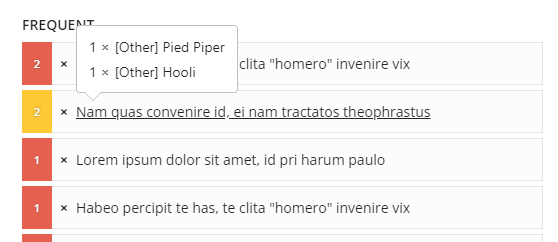
The list of frequent log messages on the organization overview has been made clickable. The list shows errors from multiple logs, why each row has not been clickable in the past. In case the same message is found in multiple logs, a popup will show which logs: