elmah.io changelog

New

Elmah.Io.Client 5.0.66

We released a new version (5.0.66) of the Elmah.Io.Client, Elmah.Io.Client.Extensions.SourceCode, and Elmah.Io.Client.Extensions.Correlation packages. This is a major version upgrade that may need changes in your code after upgrading. The new version includes the following changes:

Small changes may be needed to upgrade from 4.x to 5.x. Check out Upgrade elmah.io from v4 to v5 for more information.
New

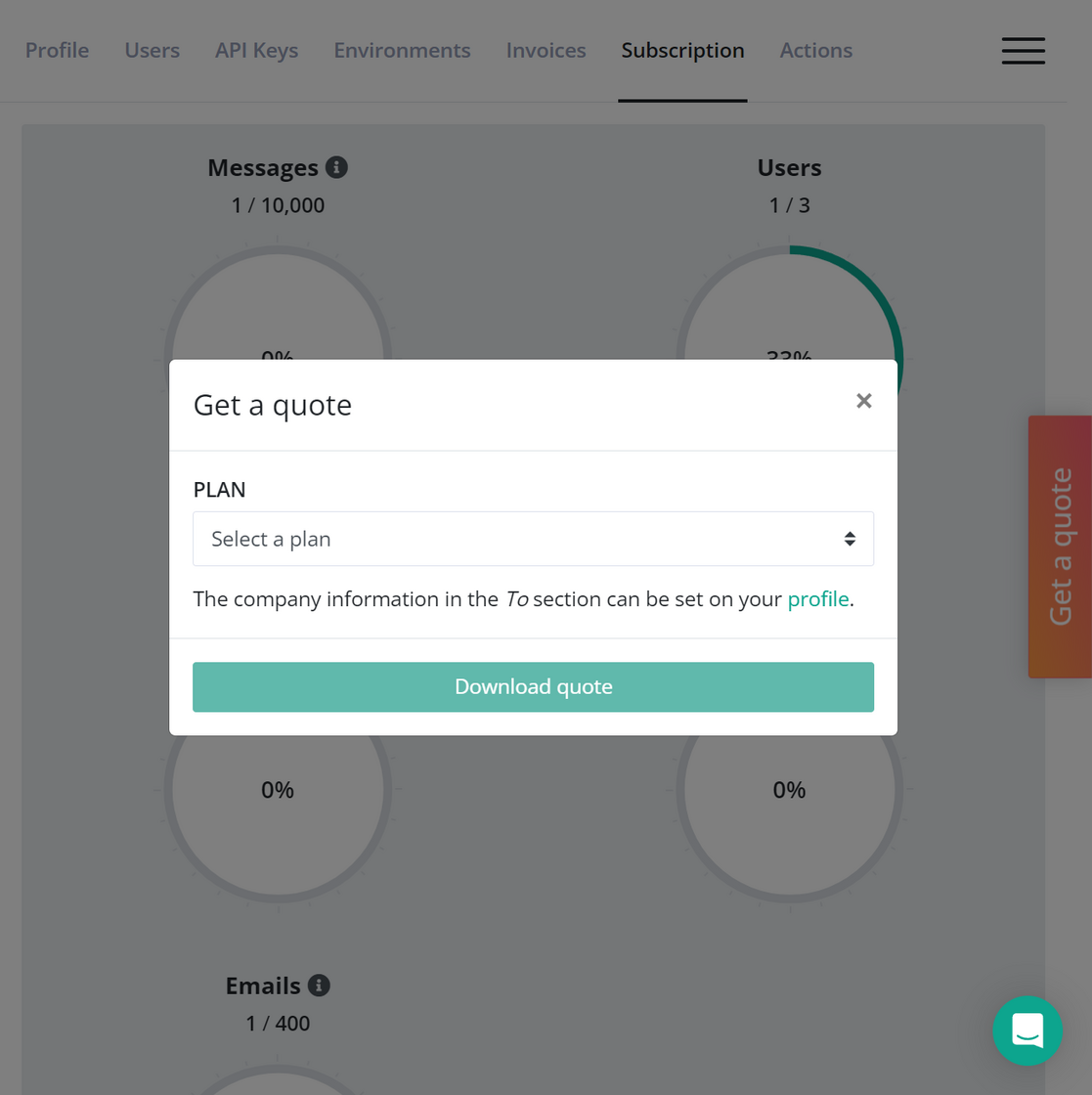
Get a quote on the Subscription page

In case you are not already paying for elmah.io, you can now get a quote directly from the Subscription page. Pick a plan and generate a quote for your finance team:

Get a quote on the Subscription page

elmah.io for Visual Studio 2022 version 3.3.27

There’s a new version of the elmah.io extension for Visual Studio 2022 (3.3.27). The new version fixes a bug that would cause the extension to fail on log messages with an empty Detail field.

New

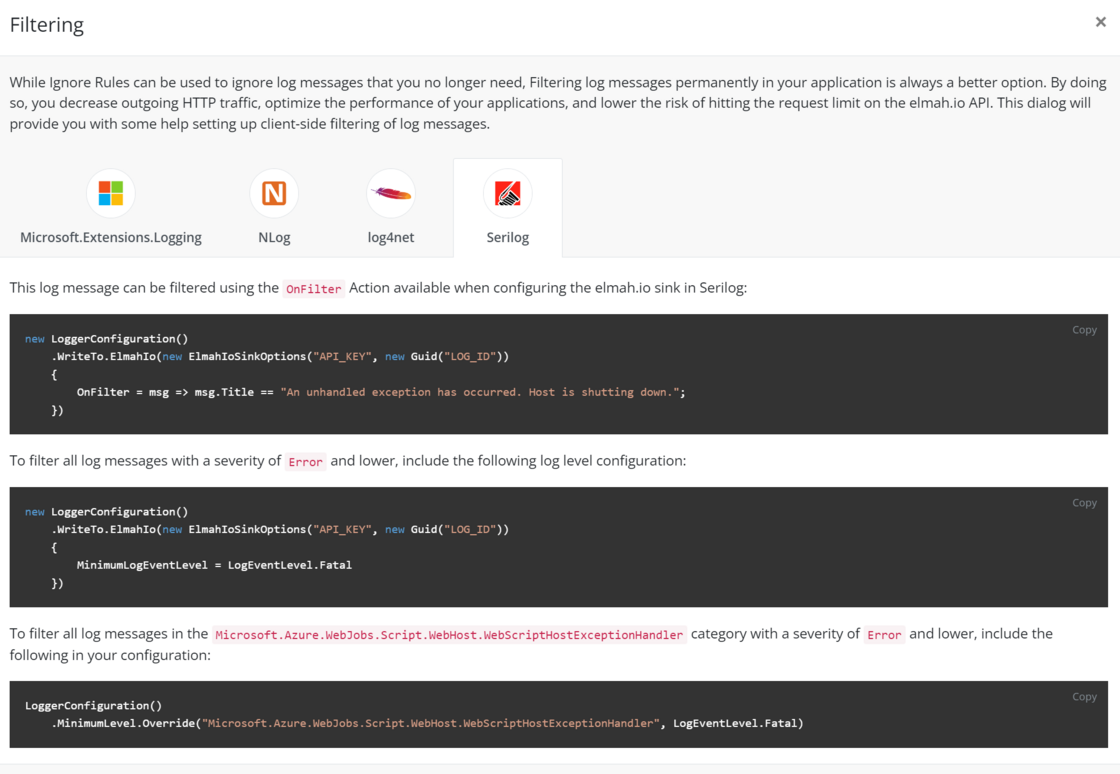
New client-side filtering help dialog

There’s a new help dialog available on log messages stored in elmah.io with support for the 4 popular logging frameworks Microsoft.Extensions.Logging, NLog, log4net, and Serilog. The help dialog is available from the log message details toolbar and will show different ways of setting up client-side filtering of messages that you don’t want to store in elmah.io. You may be thinking that no filtering needs to happen on your side since elmah.io supports Ignore filters. But Ignore filters are only meant as a way to temporarily ignore log messages. In case you want a permanent solution, ignoring log messages before communicating with the elmah.io API is always the better option. This will improve the performance of your application, limit bandwidth, and reduce the risk of hitting the elmah.io API request limit.

New client-side filtering help dialog

Improvement

Improved URL uniqueness check

We put a new URL uniqueness improvement in production which will catch more unique URLs. URL uniqueness is, among other things, used to identify if an error has been seen before by elmah.io. It’s a feature that we constantly tweak, but we still wanted to mention this specific improvement to avoid any confusion.

The improvements include date time detection inside URL parts:

# Considered as the same page
https://blog.example.com/posts/2023-06-25/list
https://blog.example.com/posts/2023-06-26/list

As well as URL fragment ignore:

# Considered as the same page
https://example.com/post#42
https://example.com/post#43

Let us know if these changes cause any problems.

Blogged: Parsing websites in C# with Html Agility Pack or AngleSharp

https://blog.elmah.io/parsing-websites-in-c-with-html-agility-pack-or-anglesharp/

Parsing websites in C# with Html Agility Pack or AngleSharp

New

Creating rules from the search page

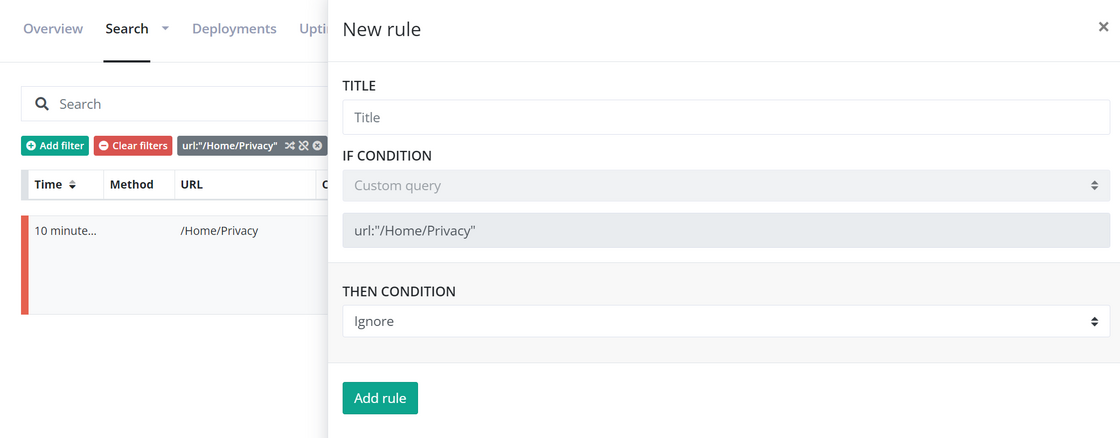
You can now create rules directly from the log search page. Input a query and/or one or more filters. Click the Actions dropdown and choose Create rule on messages like this. This will show the New rule form already known from the log settings page:

Creating rules from the search page

June newsletter

We published a new issue of the elmah.io Newsletter: https://mailchi.mp/elmah/normalize-and-compare-urls-with-csharp-and-more-elmah-io-news-15609147

Newsletter

If you want to receive an email every 2-3 months with all of the recent goodies on elmah.io, make sure to subscribe here: http://eepurl.com/dE1hCn

New

Suggesting log messages generated by bots

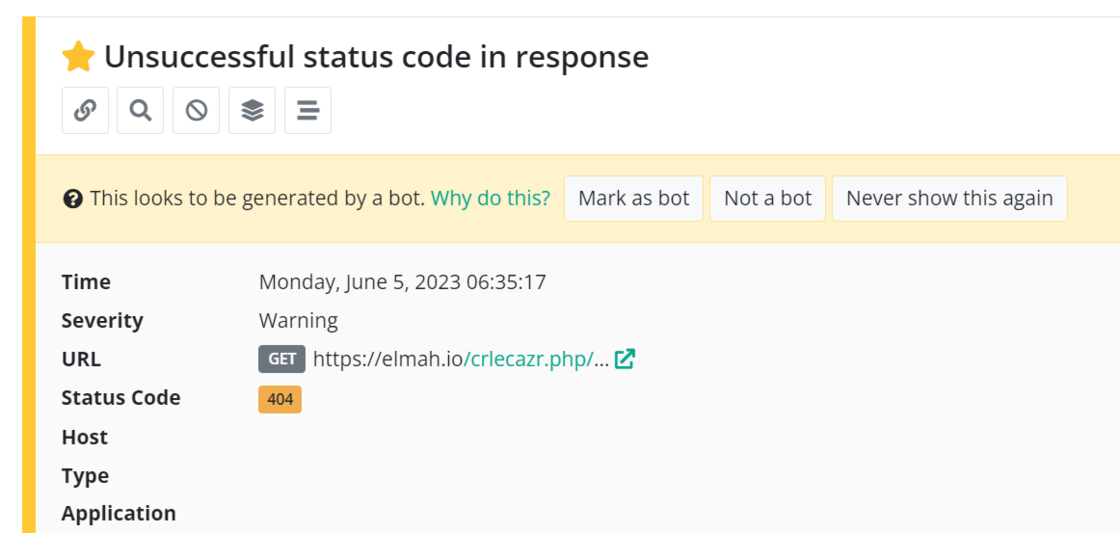
We have started suggesting log messages generated by bots based on some obvious parameters (like requesting non-existing .php files). By marking a log message as generated by a bot, you can set up elmah.io to automatically hide future instances of this message. Or you can create a view filtering out noise by excluding log messages generated by bots.

Suggesting log messages generated by bots

The existing bot detection feature, available for Enterprise customers, is still there and works even better now. By including log messages matching the new criteria, automatic bot detection will detect more bot requests.

New

Copy rules across multiple logs

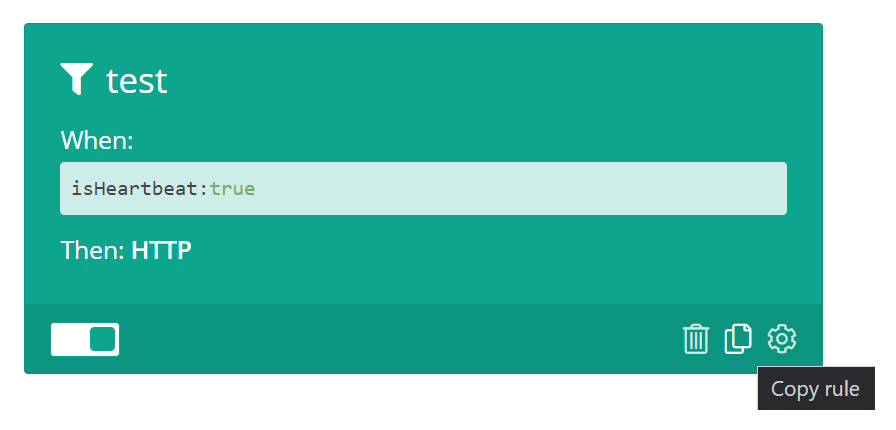
A new copy button on rules will let you easily copy and paste rules across multiple logs or even within the same log. When copied, the rule details will be available on the clipboard. To paste the rule, simply click CTRL+P. We have chosen CTRL+P over CTRL+V to avoid disabling native paste features within this page.

Copy rules across multiple logs

New

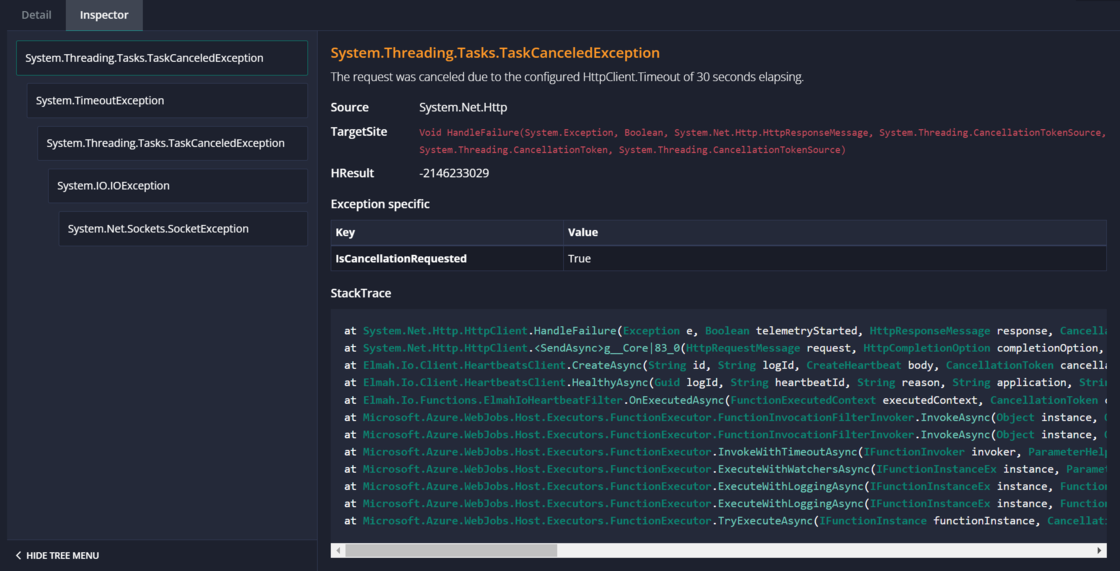
Announcing the new Exception Inspector

After having looked at exception stack traces for more than 10 years now, we have been talking about a better way to show them over and over again. I’m happy to reveal the first shot at improving this on elmah.io. A new feature/view that we call the Exception Inspector:

Announcing the new exception Inspector

As seen in the screenshot, inner exceptions are better visualized using a tree structure. Clicking each exception not only shows the stack trace but also other vital information on each exception. Like exception-specific properties, the Data dictionary, and more info.

All of the data for this new view will be automatically collected when using one of the integrations for ASP.NET Core, NLog, Serilog, etc. If logging manually through the Elmah.Io.Client NuGet package, you need to call the ToDataList method as shown in this full example. The feature is currently available in the new 5.x prereleases but will be released in stable within the next couple of months. We would love to hear your feedback if you want to play with this locally or on non-critical systems.

Blogged: Building and deploying AWS email templates with Azure DevOps

https://blog.elmah.io/building-and-deploying-aws-email-templates-with-azure-devops/

Building and deploying AWS email templates with Azure DevOps

New

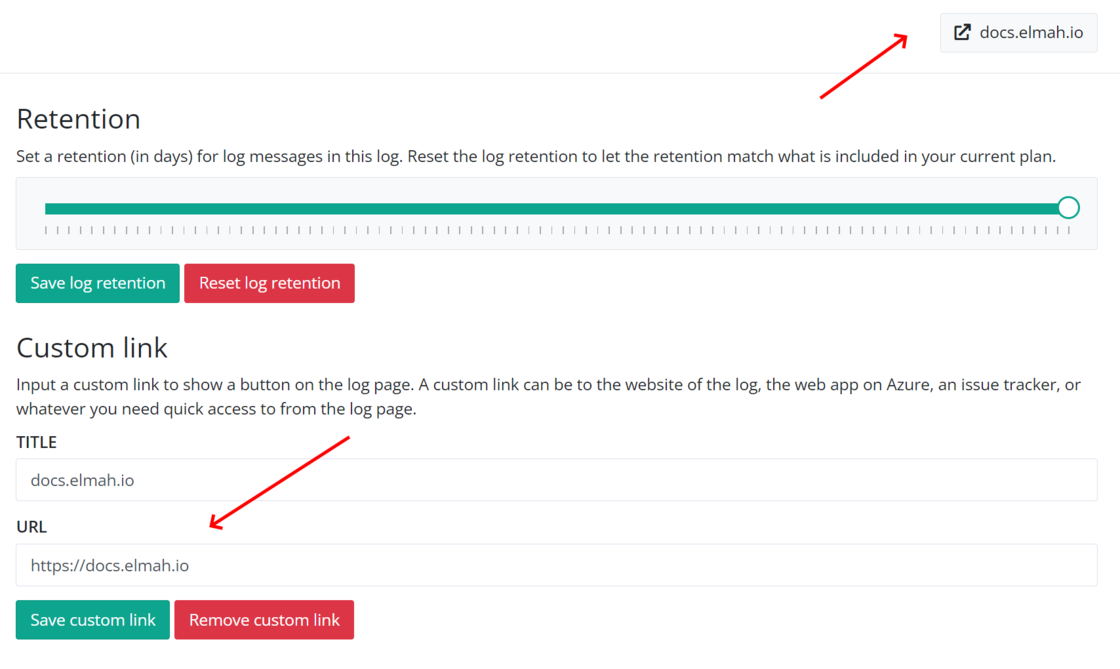
Add custom button with external link to a log

There’s a new feature available on the log page: custom buttons. You can insert a custom link for each log on the log settings page. The link destination can be anything from the website logging messages to a GitHub repository or an Azure resource URL. This will give you quick access to external systems you typically visit when also browsing errors inside elmah.io. The custom link will appear as a button on both log search and log settings:

Add custom button with external link to a log

New

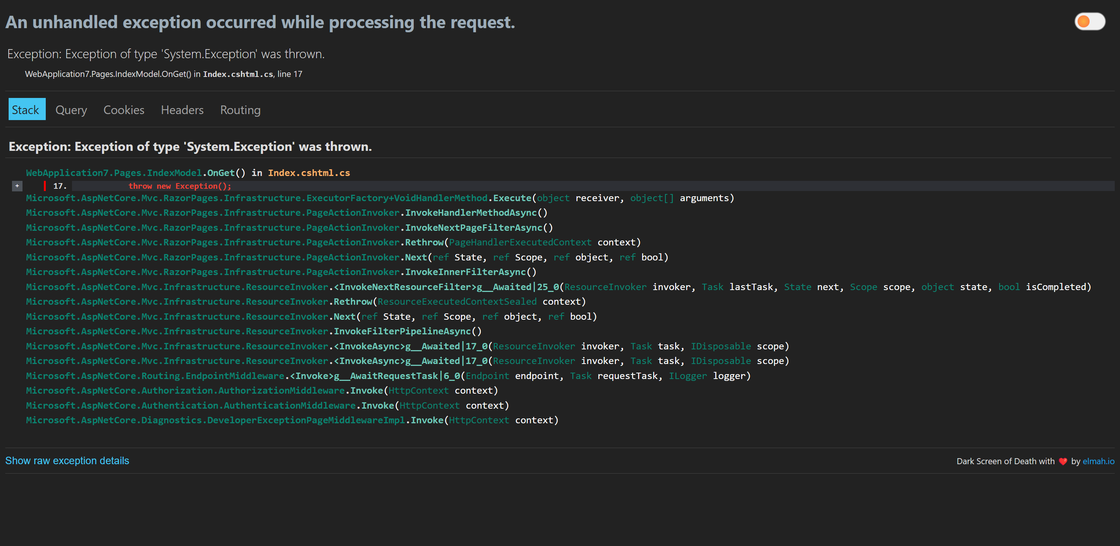
Dark Screen of Death 1.1 with syntax highlighting

If you are not already familiar, we have published a free Chrome Extension that improves the developer exception page part of ASP.NET Core (also known as the White Screen of Death). With the latest release, stack traces are now syntax highlighted. Existing installations will be auto-updated but if you haven’t already, give it a try here: https://chrome.google.com/webstore/detail/dark-screen-of-death/mgjlgekjoadppmakbgjkpmplgpplhejj

Dark Screen of Death 1.1 with syntax highlighting

Blogged: Building MJML email templates with Gulp

https://blog.elmah.io/building-mjml-email-templates-with-gulp/

Building MJML email templates with Gulp

New

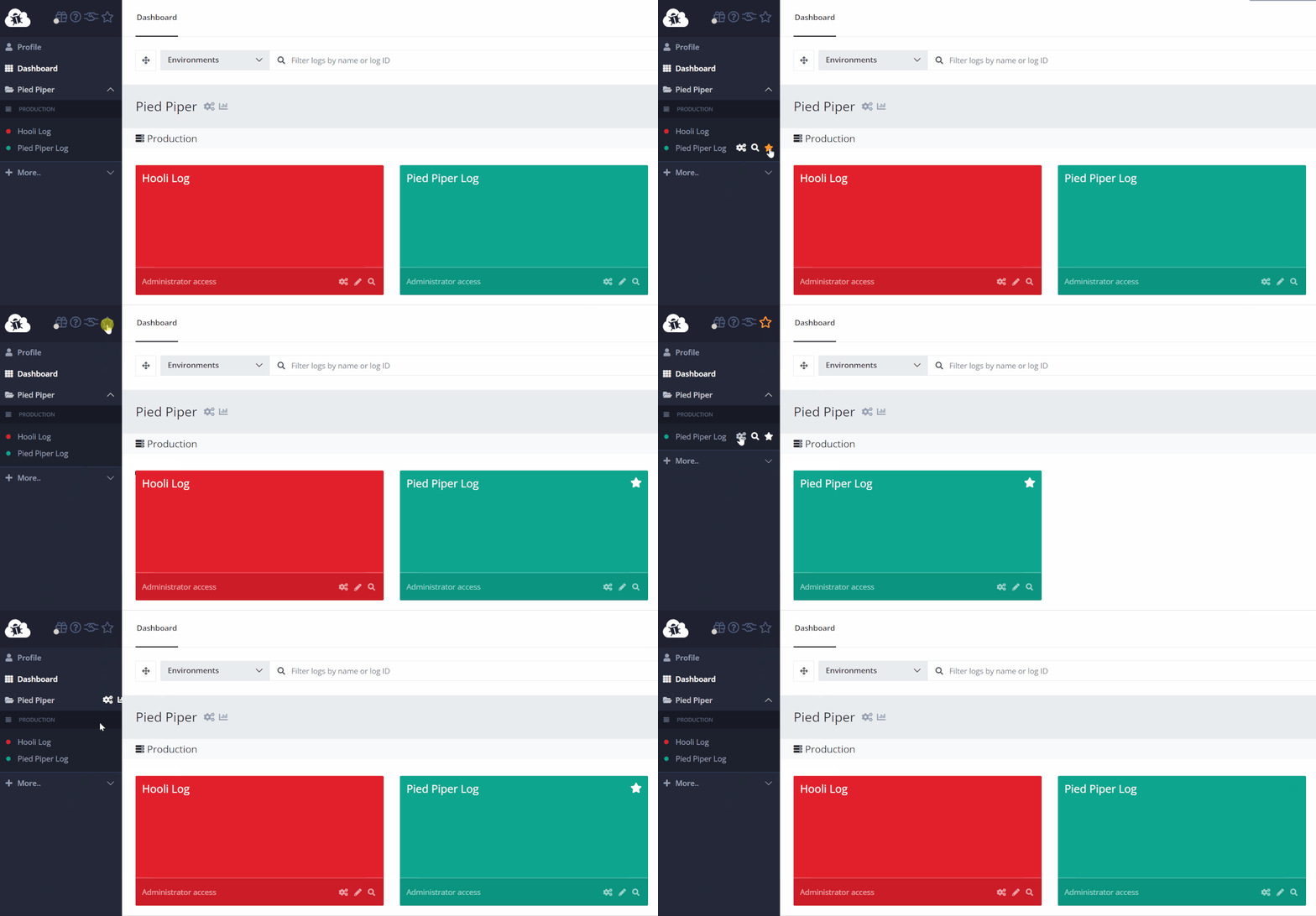
Favorite logs

There’s a new favorites feature available in the logs menu and on the dashboard. One or more logs can now be marked as favorites. You either mark a log as a favorite by editing it on the dashboard or by clicking the favorite icon next to the existing icons when hovering the log in the left menu. The menu and entire dashboard can be filtered to only show favorite logs by clicking the Favorite icon at the top.

Favorite logs

DNSSEC on the elmah.io domain

We have enabled DNSSEC on the elmah.io domain. DNSSEC is a protocol that adds a layer of trust and authentication to DNS by using digital signatures based on public key cryptography. We have been promised by Cloudflare that the change should not affect anything else than improving elmah.io’s security. Let us know if you experience anything that could be related to this.

New

2FA shield on user administration

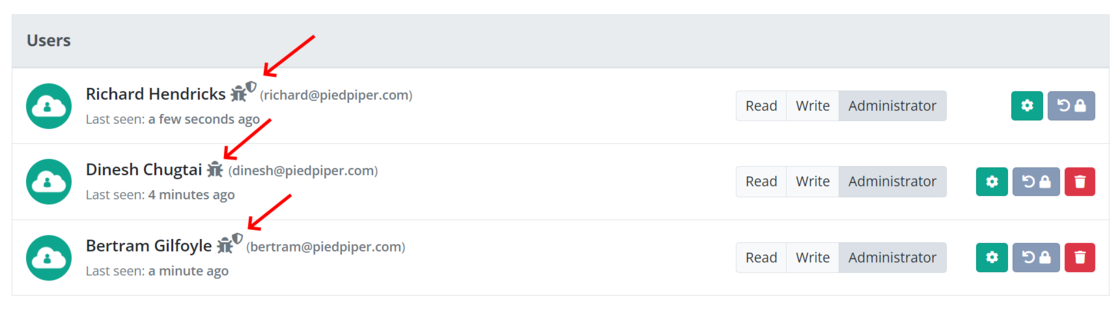
To make it easy for organization administrators to get a security overview of the users in the organization we have included a small shield icon on users that enabled two-factor authentication (2FA). This way, admins can quickly get an overview of who forgot to enable two-factor authentication (2FA) on their account:

2FA badge on user administration

Blogged: Creating AWS email templates with Handlebars.js and MJML

https://blog.elmah.io/creating-aws-email-templates-with-handlebars-js-and-mjml/

Creating AWS email templates with Handlebars.js and MJML

New

Wrap stack trace in log message details

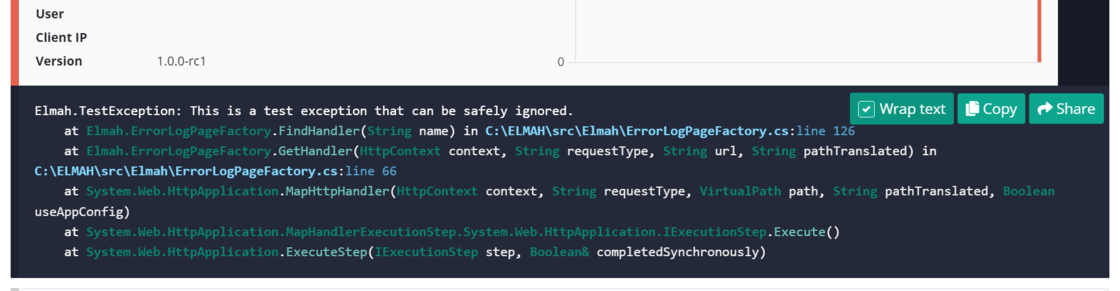
There’s a new check box to wrap the content in the bottom part of the log message details. As default, stack traces are no longer wrapped since that makes them harder to read. To wrap the content to fit inside the current view, simply check the Wrap text checkbox.

Wrap stack trace in log message details