elmah.io changelog

Upgrading to Bootstrap 5 on the elmah.io app

We have started migrating the elmah.io app (app.elmah.io) to Bootstrap 5. elmah.io, blog.elmah.io, and docs.elmah.io are already running on Bootstrap 5 why the app is next and last in line. While doing the upgrade we also include other improvements like removing jQuery entirely from the site. Migrating is an iterative process where we migrate one or a few pages at a time. You may notice some minor details looking different from page to page like the toast showing information and error messages in the top right corner. UI changes are kept at an absolute minimum and shouldn’t interfere with your daily use of the app.

Blogged: Understanding GraphQL in .NET: When and why to use it

https://blog.elmah.io/understanding-graphql-in-net-when-and-why-to-use-it/

Understanding GraphQL in .NET: When and why to use it

Learn when and why to use GraphQL in .NET with practical examples and a step-by-step guide to building a GraphQL API using HotChocolate.

Self-hosted GPT-4 and GPT-4 Turbo models retired

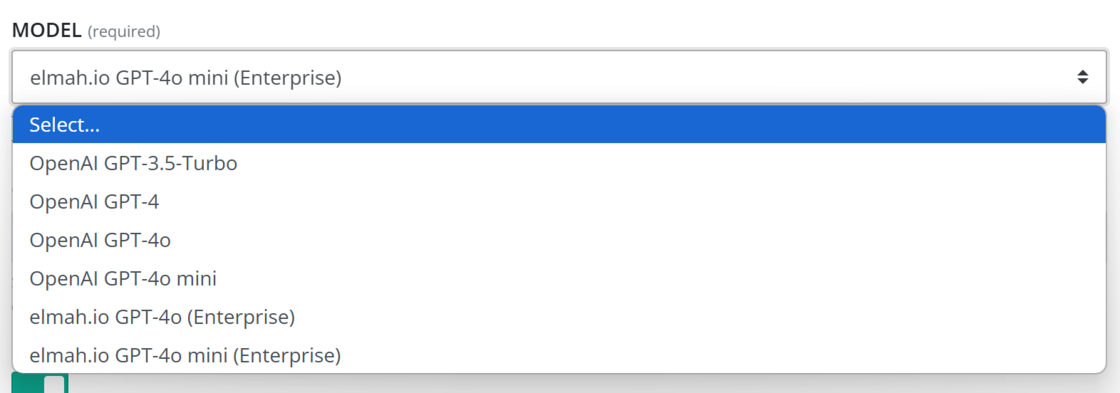
We have retired the elmah.io GPT-4 and elmah.io GPT-4 Turbo models from the ChatGPT app. The models are no longer supported by Microsoft Azure where our self-hosted models are deployed. Existing installations have been upgraded to GPT-4o. This change only applies to the models prefixed with ‘elmah.io’ available on the Enterprise plan. GPT-4 is still available on app installations using the OpenAI API. These models are prefixed with ‘OpenAI’ in the app:

Self-hosted GPT-4 and GPT-4 Turbo retired

Blogged: Optimizing JSON Serialization in .NET: Newtonsoft.Json vs System.Text.Json

https://blog.elmah.io/optimizing-json-serialization-in-net-newtonsoft-json-vs-system-text-json/

Optimizing JSON Serialization in .NET: Newtonsoft.Json vs System.Text.Json

Compare Newtonsoft.Json and System.Text.Json for .NET. Learn about features, performance, customization, and when to choose each library.

New

Show docs in Exception Inspector

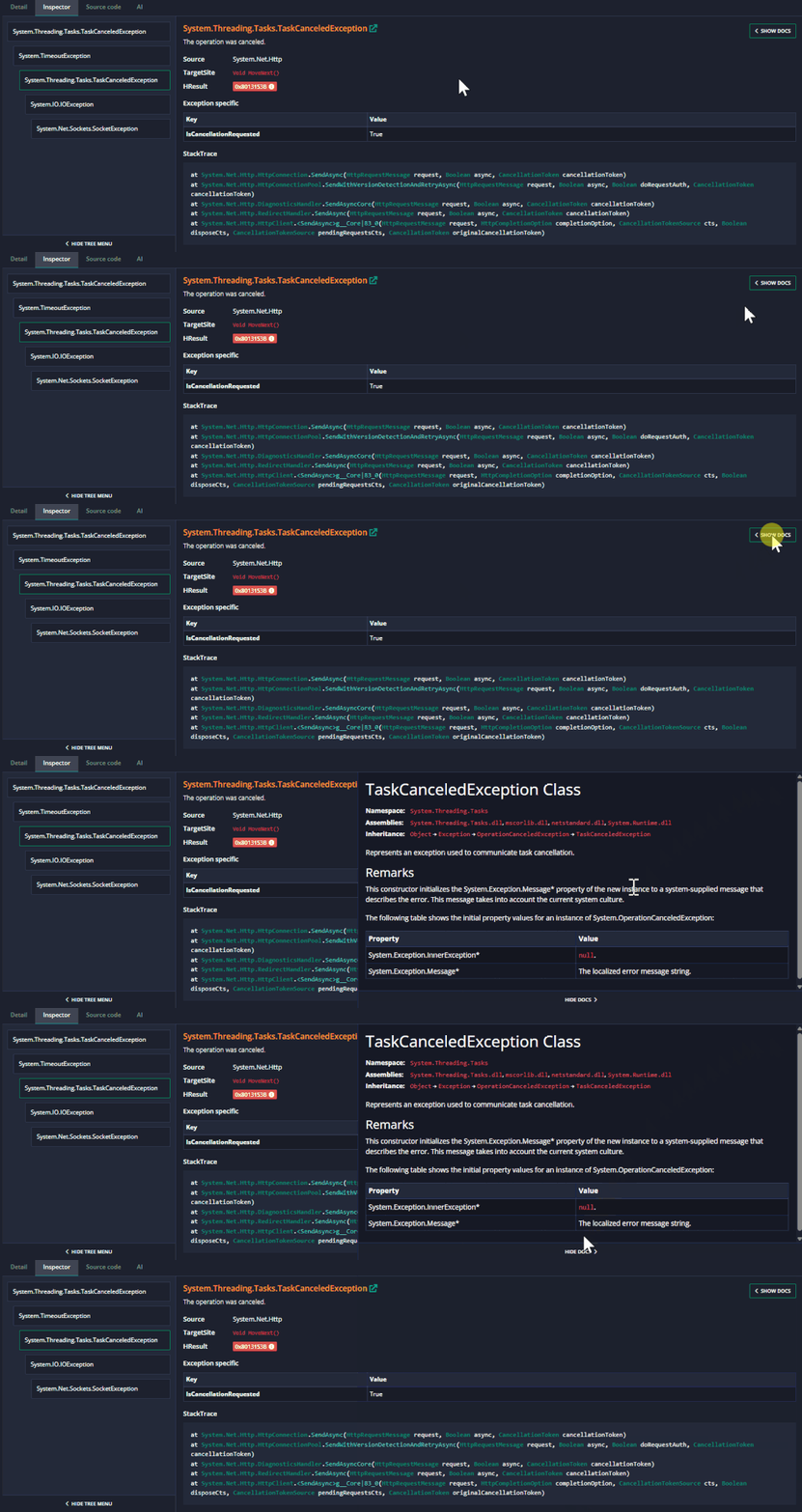
The Exception Inspector has been extended with a new Show Docs button on known exceptions. When clicking the button, an overlay with parts of the exception documentation from Microsoft Learn is shown directly in the inspector. This gives a quick overview of the logged exception, as well as helpful remarks about how to avoid the exception in the future:

Show docs in Exception Inspector

Blogged: Understanding EF Core Change Tracking: How It Works Under the Hood

https://blog.elmah.io/understanding-ef-core-change-tracking-how-it-works-under-the-hood/

Understanding EF Core Change Tracking: How It Works Under the Hood

Explore how Entity Framework Core tracks changes and generates SQL for Create, Update, and Delete operations. Learn what happens under the hood.

New

Usage graph on API keys

The elmah.io API enforces request limits to ensure stability and to avoid logging millions of messages within a few minutes. Each API key has a limit on the number of requests allowed per minute and per hour. To make it easier to track usage, we’ve added a visual usage graph to the list of API keys. Now, you can see in real-time how many requests each key has made and how close you are to hitting the limit. This update makes it easier to manage API access, avoid unexpected rate limit errors, and optimize how your application interacts with elmah.io.

Usage graph on API keys

Improvement

ILogger Visualizer 0.2.16.0 Visual Studio extension

There’s a new version of our ILogger Visualizer extension for Visual Studio available on the Visual Studio Marketplace. ILogger Visualizer helps you debug Microsoft.Extensions.Logging configuration during debugging. The new version includes support for the non-generic use of ILogger.

New

Bugster moved into the app

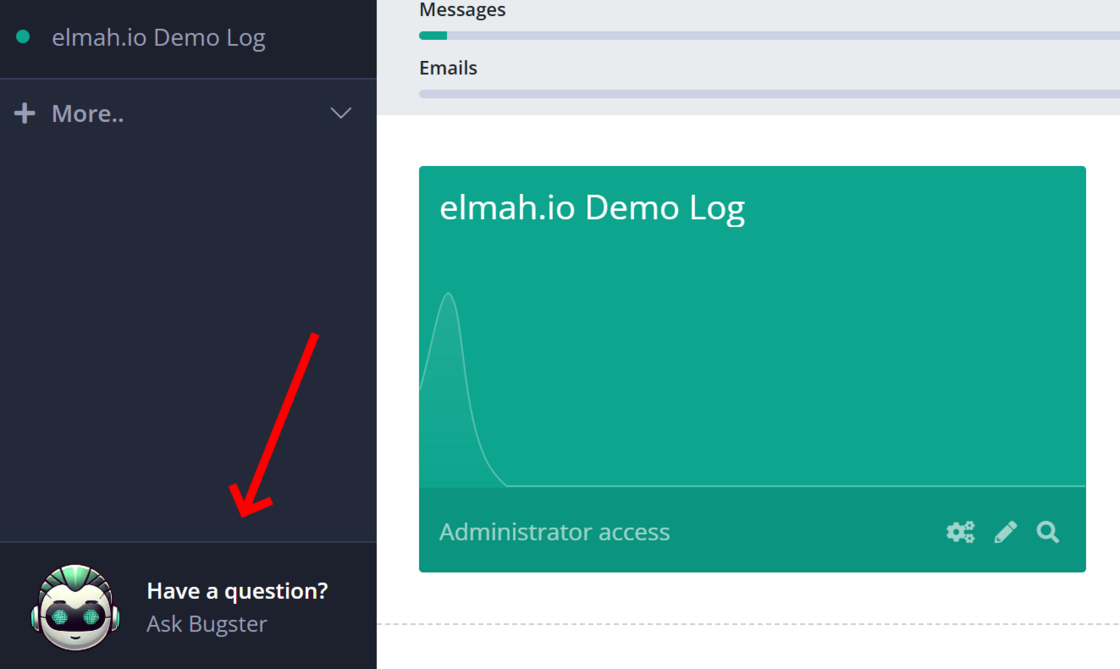
Bugster, our helpful bot, has moved into app.elmah.io too. You may already know Bugster from the documentation site. If not, it can answer questions about elmah.io from sources like our documentation. It is still training so look at it as a beta for now.

image.png

Disclaimer: Bugster is in no way a replacement for the chat and email support which is still available and works just as you know it. Also, no personal data or log data are shared with Bugster (unless you manually share it through a question, of course). Bugster doesn’t have access to anything but its general model which is built on top of docs.elmah.io. Bugster uses a self-hosted LLM on Azure to avoid your questions being used for training by OpenAI and similar.

Blogged: Adding Cloudflare Turnstile to an ASP.NET Core website

https://blog.elmah.io/adding-cloudflare-turnstile-to-an-asp-net-core-website/

Adding Cloudflare Turnstile to an ASP.NET Core website

Learn how to integrate Cloudflare Turnstile into your ASP.NET Core website as a reCAPTCHA alternative. Follow this guide to reduce bot traffic.

New

"New" Fixes app in the app store

There’s a “new” app in the elmah.io app store called Fixes. “New” in quotation marks since it covers features already available on elmah.io. The Fixes app will show a tab named Fix on the extended log message details view with Quick Fixes and answers from Stack Overflow. This view has been available on elmah.io for years, but with the new app, you will be able to disable one or both sections from the view.

There can be different motives behind disabling these features. The main one is to avoid sharing log messages with external partners. Quick Fixes suggest searching for log message details through Google and similar. Clicking this will open a Google search result with the log message as input. If the log message contains information you don’t want to share outside your organization, doing a Google search breaks this. Similarly, if the Stack Overflow section is enabled through the Fixes app, opening the extended log details view will make a search on Stack Overflow’s API with the log message. Again, when this is enabled, log messages are shared outside of elmah.io which for some users may not be the desired behavior.

For consistency, we have installed the new Fixes app on all logs and the app will also be automatically installed when creating new logs through either the UI or the API. To disable one or both of the sections Quick Fixes and Stack Overflow, you can configure settings in the app or uninstall it entirely:
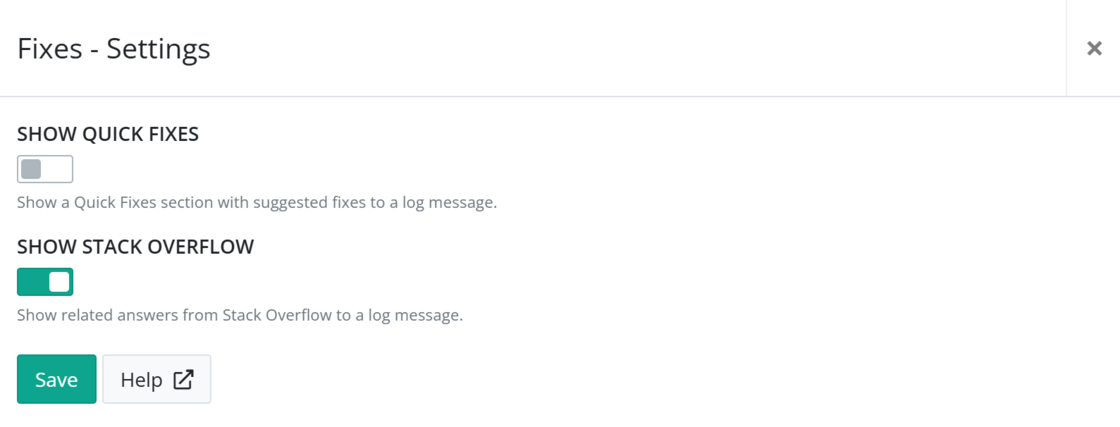

Fixes app

New

Elmah.Io.Cli 5.2.91

We released a new version of the elmah.io CLI. The tool now supports exporting log messages from elmah.io to a CSV file:

elmahio export --format csv ...

Both the inline tool help and the documentation has been updated to reflect the new feature.

March newsletter

We published a new issue of the elmah.io Newsletter: https://mailchi.mp/elmah/comparing-records-structs-and-classes-in-csharp-and-more-elmah-io-news-16555330

Newsletter

If you want to receive an email every 2-3 months with all of the recent goodies on elmah.io, make sure to subscribe here: http://eepurl.com/dE1hCn

Blogged: .NET Dependency Injection: Advanced Techniques Beyond the Basics

https://blog.elmah.io/net-dependency-injection-advanced-techniques-beyond-the-basics/

.NET Dependency Injection: Advanced Techniques Beyond the Basics

Master advanced .NET dependency injection techniques, including IServiceProvider, IServiceScopeFactory, IEnumerable, AddKeyed DI, and more.

Improvement

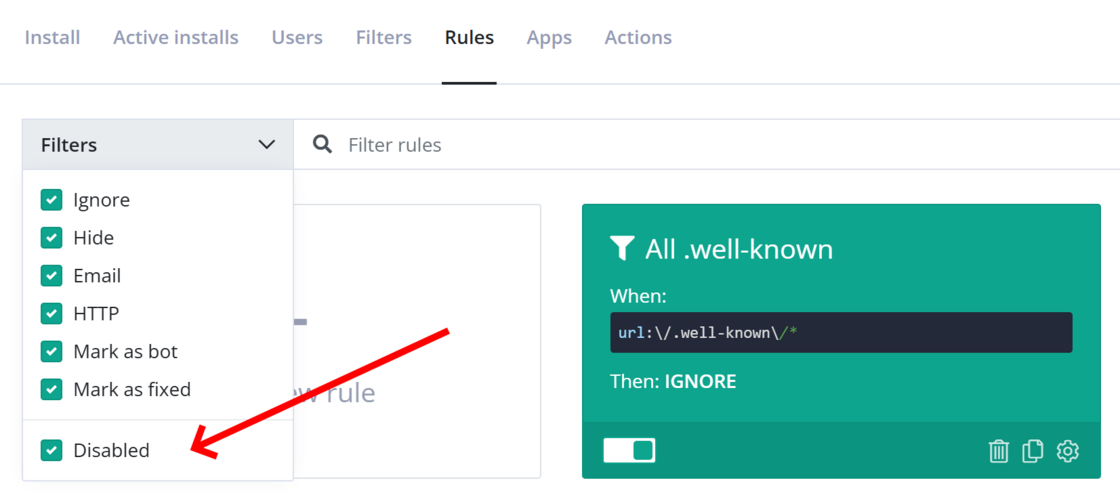
Disabled filter on Rules

To help get an overview of rules on the Rules page, we have added a new Disabled filter. Enabling/disabling this checkbox will show or hide any disabled filters from the list:

Disabled filter on Rules

Blogged: Handling Complex Query Scenarios with Entity Framework Core

https://blog.elmah.io/handling-complex-query-scenarios-with-entity-framework-core/

Handling Complex Query Scenarios with Entity Framework Core

Optimize Entity Framework Core queries with projection, AsNoTracking, lazy vs. eager loading, indexes, pagination, raw SQL, and buffering tips.

New

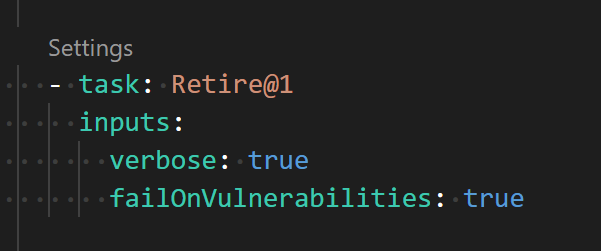
Open-sourced Retire.js extension for Azure DevOps

We open-sourced our internal Azure DevOps extension for running Retire.js as part of a build. Retire.js is an existing tool for detecting the use of JavaScript libraries with known vulnerabilities.

The source is available on our GitHub and the extension has been published to the Visual Studio Marketplace.

Open-sourced our Retire.js extension for Azure DevOps

Blogged: Leveraging Tuples in C#: Real-World Use Cases

https://blog.elmah.io/leveraging-tuples-in-c-real-world-use-cases/

Leveraging Tuples in C#: Real-World Use Cases

Learn how to leverage C# tuples for cleaner, efficient code. Discover real-world use cases, benefits, and best practices to optimize performance.

Blogged: Unlocking delegate's potential in C#

https://blog.elmah.io/unlocking-delegates-potential-in-c/

Unlocking delegate's potential in C#

Learn how C# delegates simplify event-driven programming with real-world examples, lambda expressions and built-in delegates like Action and Func.

New

Sorting and activity info added on Rules

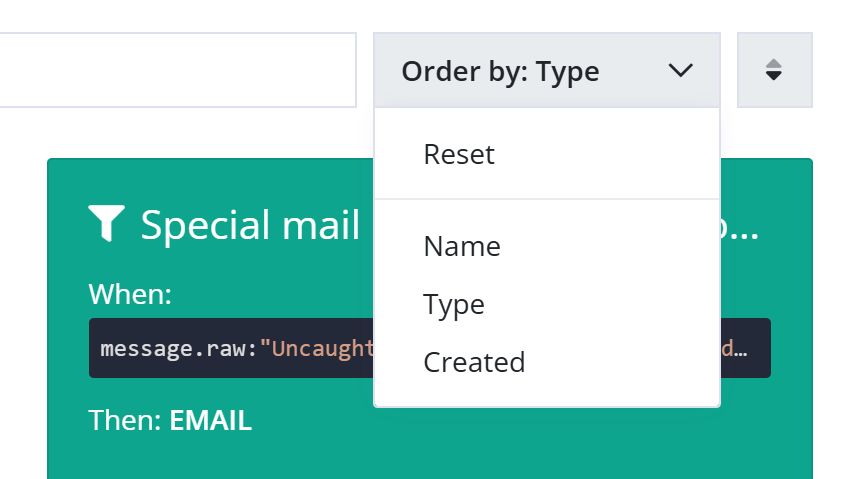
To help get a better overview of Rules, a list that can quickly grow in size, we have added a new sorting option. You can sort the list both ascending and descending by: Name, Type, and Created date:

Sorting

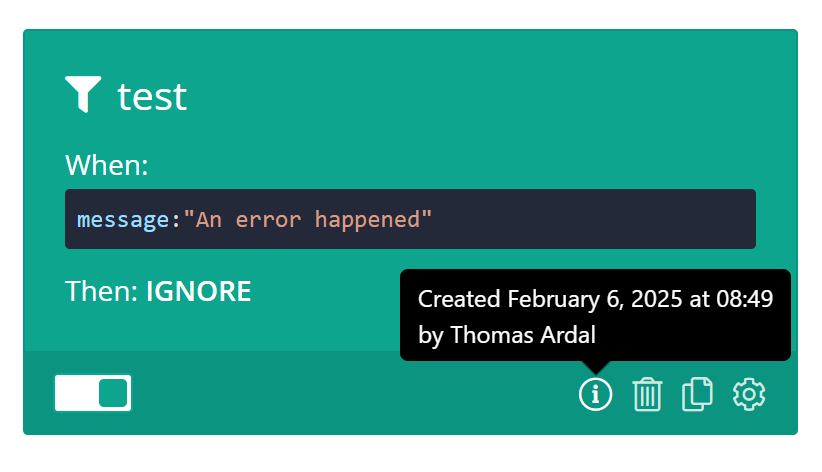
Sorting by Created will only work on rules created after introducing the new sorting feature. Likewise, new rules will have an info icon in the lower right corner where you can see who created the rule and when:

Info popup