Introducing Breadcrumbs
We launched the last bits and pieces for elmah.io Breadcrumbs. Check out the details in this post: Introducing Breadcrumbs.
We launched the last bits and pieces for elmah.io Breadcrumbs. Check out the details in this post: Introducing Breadcrumbs.
We released a new version (3.12.24) of the Elmah.Io.AspNetCore package. The new version includes the following changes:
Elmah.Io.Client.Took property on health check results.Elmah.Io.JavaScript in tag helper.We released a new version (3.5.0) of the Elmah.Io.JavaScript package. The new version includes the following changes:
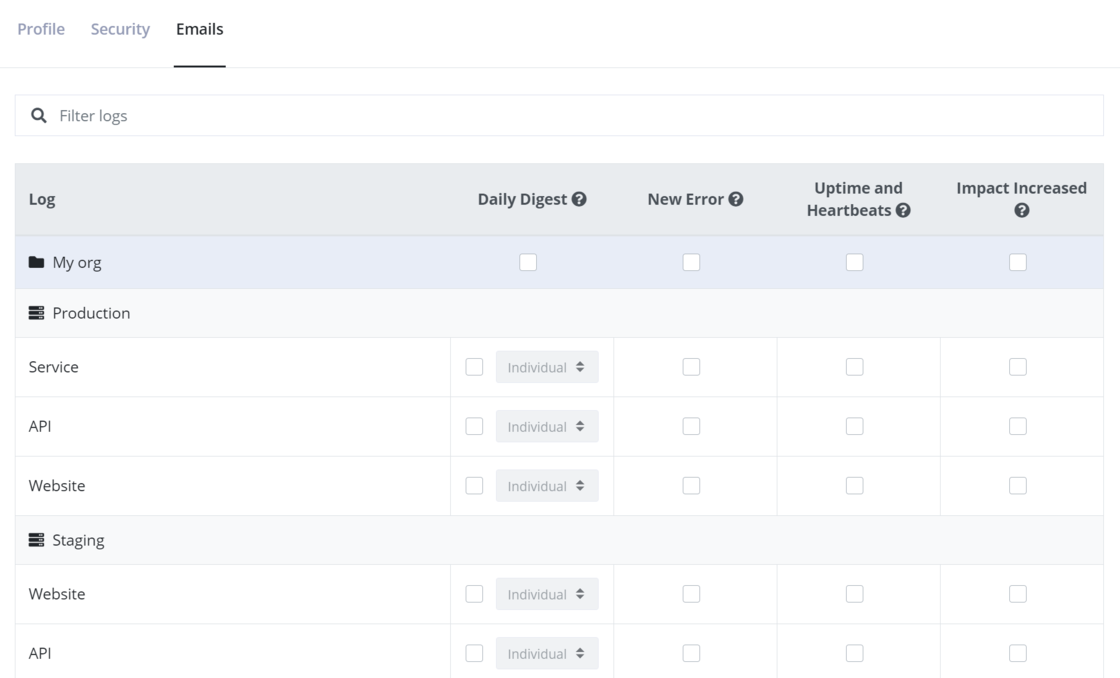
Environments and log order has been added on the Emails page to make it easier to find the correct log to configure emails for:
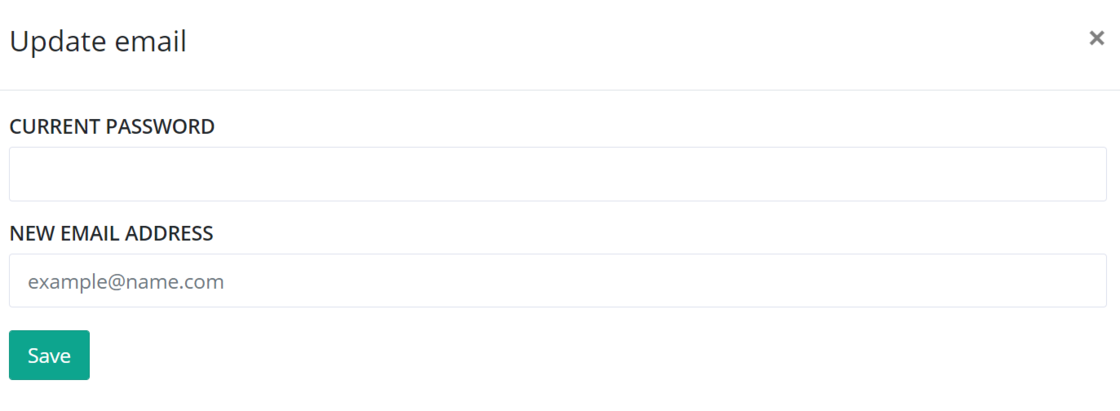
We added a new verification step when wanting to update the email on accounts using username/password. When inputting the new email, you will need to click the Accept button in the email received on the new email address. This is done to verify that you own the new email and that you don’t input a wrong email by accident.
There’s a new toggle named MAKE PRIVATE on your profile. As explained above the toggle, enabling that will exclude your user from showing up in the search result on the Add user page. Once your user is added to your organization on elmah.io, you typically don’t need others to be able to see your name and profile photo in the search result.

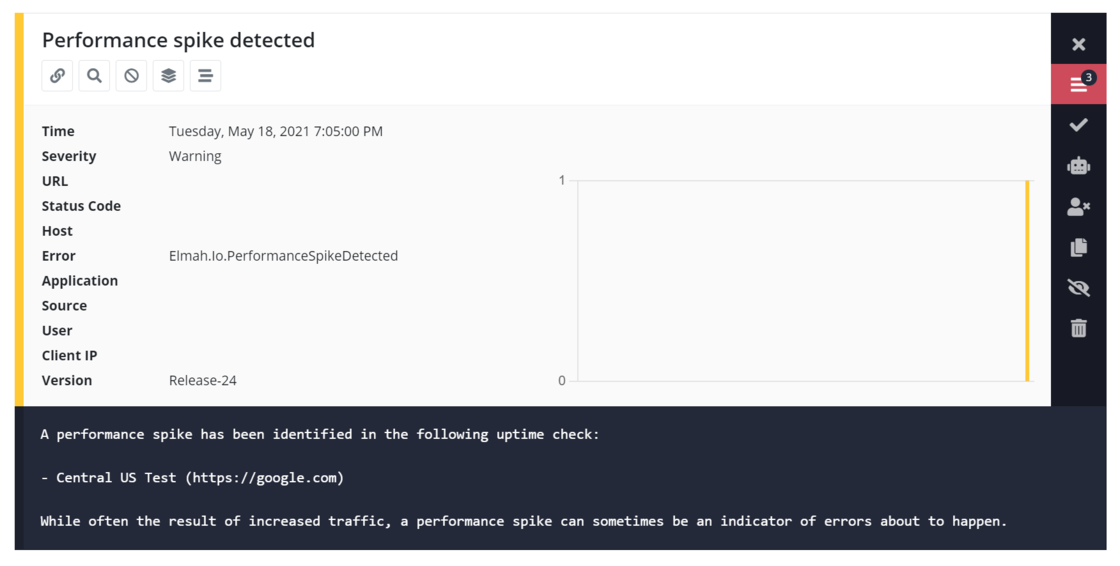
There’s a new warning automatically stored in your log if a performance spike has been identified in one or more uptime checks. The feature is based on the Machine Learning feature and only available in plans including that.
We added two new API endpoints to enable/disable logging. The endpoints will turn on and off logging for the specified log in the same way as the toggle on the log settings page.

There’s a new prerelease of the Elmah.Io.Client package supporting these endpoints. Once the package is released in stable we will write about it on the changelog. For now, you can either install the prerelease or call the API directly through a HttpClient or similar.
We wrote documentation on how to log to elmah.io from SignalR: https://docs.elmah.io/logging-to-elmah-io-from-signalr/. There’s a new SignalR sample showing you how to set up the code as well.
We released a new version (3.7.0) of the Serilog.Sinks.ElmahIo package. The new version includes the following changes:
Elmah.Io.Client package.CorrelationId through structured properties.We released a new version (3.0.44) of the Elmah.Io.Cli tool. The new version includes the following changes:
Elmah.Io.Client package.correlationId in the log command.We released a new version (3.2.9) of the Elmah.Io.Heartbeats.Hangfire package. The new version includes the following changes:
Elmah.Io.Client package.Took property is set to the time it took to execute the job.ElmahIoHeartbeatAttribute class.We published a free tool to quickly generate an MD5 hash from a string: MD5 Encoder. Convert an input string to MD5 directly in the browser. No server-round trip and no logging of your source string.
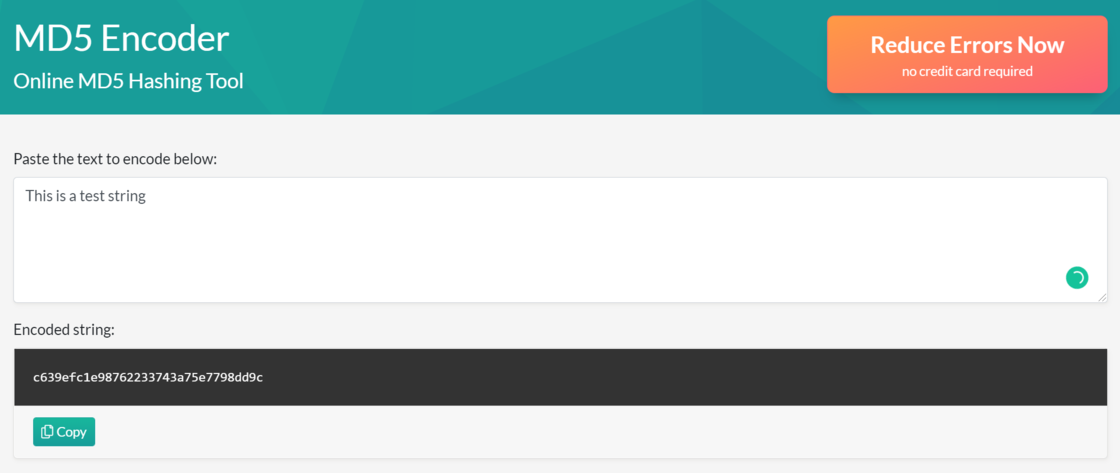
Besides the convert feature which a lot of tools out there already do, we spiced this up with some C# goodies. When inputting a string, the tool automatically generates C# code to insert directly into your program. We also provide you with an extension method to easily generate MD5 hashes.
We released a new version (3.9.16) of the Elmah.Io.NLog package. The new version includes the following changes:
Elmah.Io.Client package.Application property obsolete. The application name must be set from the global context.We released a new version (3.6.8) of the Elmah.Io.Log4Net package. The new version includes the following changes:
Elmah.Io.Client package.We released a new version (3.10.15) of the Elmah.Io.Extensions.Logging package. The new version includes the following changes:
Elmah.Io.Client package.We released a new version (3.11.15) of the Elmah.Io.Client package. The new version includes the following changes:
Took property on heartbeats. The property can be set during a heartbeat to indicate how long it took (in ms). The value is shown on the heartbeat history page.200 from the create message endpoint would throw an exception.