Security settings on organization
Your company may have requirements for using two-factor authentication or against using social logins. These requirements can now be configured on elmah.io as well using the new Security tab above the user’s list on the organization settings page:
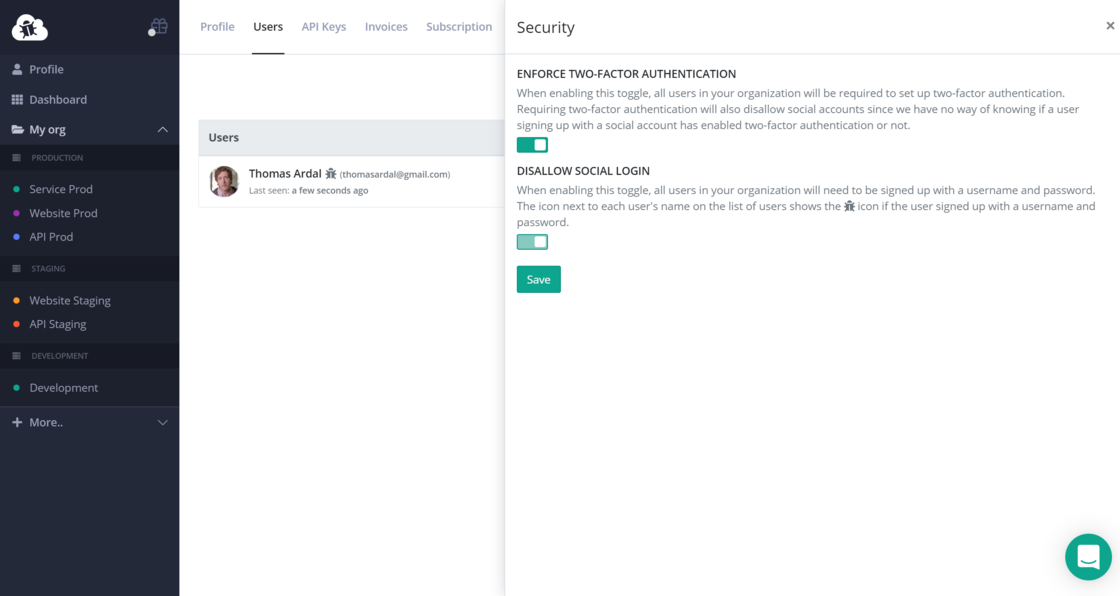
If you want to enable these settings and you currently have users in your organization that doesn’t meet the requirements, these users will be redirected to a special page on their next sign in. This page will inform them about the requirements set on the organization and how to proceed. If you enable the Disallow social login toggle and have users that signed up with a social provider, these users will need to sign up with a new user (using username/password) and get added to the organization on elmah.io.
More information here: Managing Organizations and Users