Bugster configuration moved to organization settings
As announced as part of the changelog Unification of Bugster and the AI tab, Bugster configuration has now been moved from the ChatGPT app on each log to the organization settings page. Bugster is available for asking general questions about elmah.io, allowing everyone in the organization to use it without further configuration.
If you want Bugster to help analyze why an error is occurring (by clicking the Analyze with Bugster button on error details), you will need to reconfigure the settings previously in the ChatGPT app. We have decided not to automatically move the existing configuration, since that could potentially introduce AI on logs where it was not previously installed.
To configure Bugster, make sure that you are an organization admin, then go to the Organization Settings page and select the Bugster tab. Here you can enable extended access to your log data and decide which details besides the error details you want to share with Bugster:
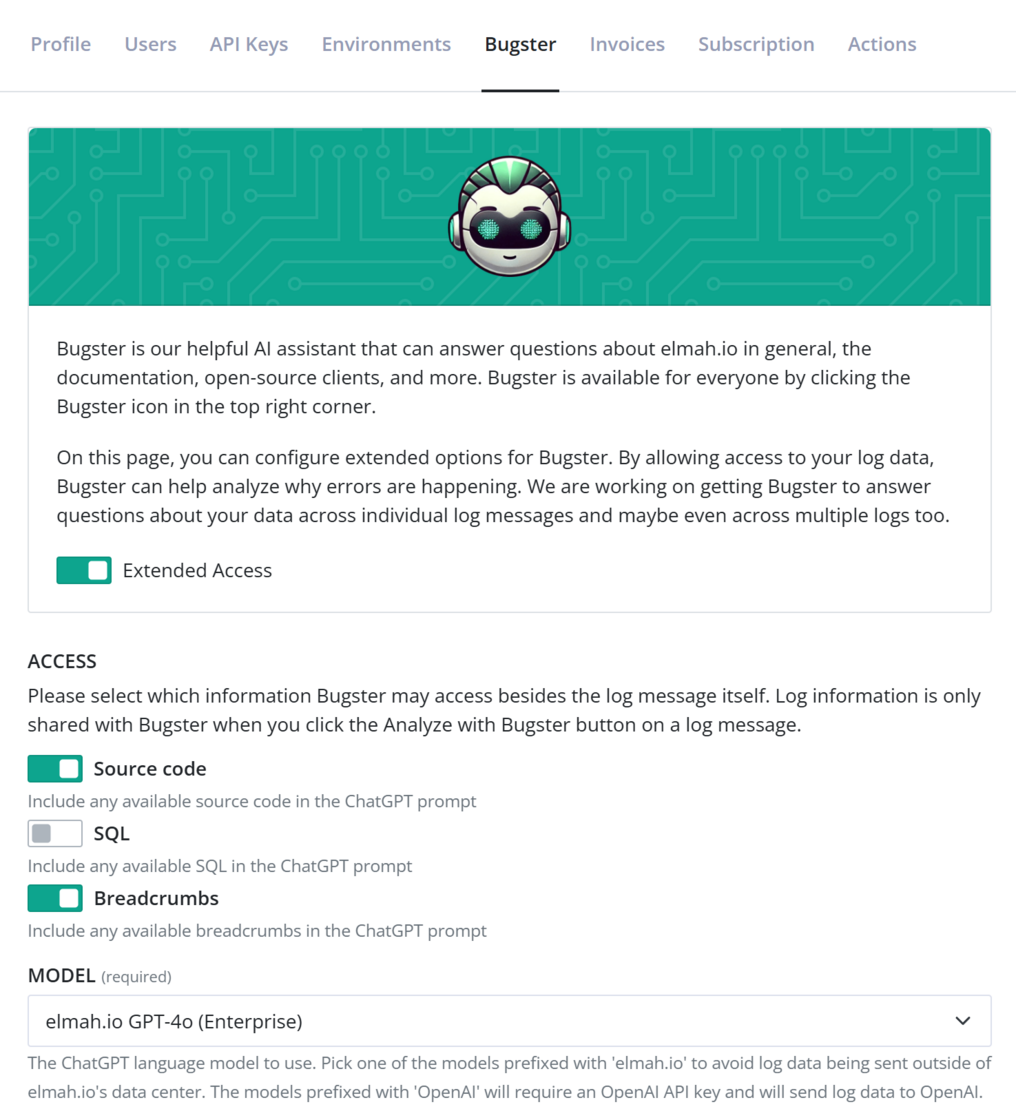
Please note that enabling access will still only send information to Bugster when you click the Analyze with Bugster button. We do not use your log data to train Bugster.
Users on the Enterprise plan can select one of the models hosted by us. Business and Business+ users need to provide their own OpenAI API key.